• The APS Catalog has been deprecated and removed from all Plesk Obsidian versions.
    Applications already installed from the APS Catalog will continue working. However, Plesk will no longer provide support for APS applications.
  • Please be aware: with the Plesk Obsidian 18.0.78 release, the support for the ngx_pagespeed.so module will be deprecated and removed from the sw-nginx package.

Resolved SSH Key Manager -- PLEASE give details of acceptable format for public key

MHC_1

Regular Pleskian
Server operating system version
Alma Linux 9
Plesk version and microupdate number
Obsidian 18.0.3
The SSH Key manager claims to be able to use SSH Keys for domain account connection.

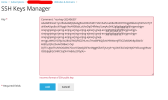
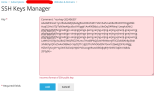
I have been having issues with the "incorrect format" for the keys; Without any guidance on what is the desired format:


key_1.png
AND

key_2.png
But there's no details given either here or on any documentation that can be found.

Things also tried:

- Have removed all spaces from key text
- Have removed all text that is not the core key
- Have copied and pasted the complete key file contents
- Have shaped the key text starting with <key-type><space><keytext>

but all of these also fails.
None of this works.


WHAT IS THE CORRECT FORMAT FOR PUBLIC SSH KEYS COPY/PASTED FROM EXISTING TEXT FILES

Please also update the Plesk documentation with this as we couldn't find this information anywhere.
 
Ok

Solution:
After much trial and error I have established

Format MUST be:


<key-type><space><key-text-no-line-breaks><space><title-text>

All parts of this are required and no line breaks can be in the text. "Title" is required.

As mentioned elsewhere title text can be in quotes if it contains spaces.
 
Guys, come on. This is absurd. Put this in the feedback that the application gives you.

<keytype> <key> is a valid SSH key
<keytype> <key> <comment> is a valid SSH key
<keytype> <key> <comment with spaces> is a valid SSH key

Your system only accepts one of these 3

This is not unreasonable. This is really bad UX for a plugin that only does one very very simple task.
 
All the issues mentioned here were fixed in SSH Keys Manager 1.3.0.
One can submit the key generated by PuTTY (following RFC 4716):
Code:
---- BEGIN SSH2 PUBLIC KEY ----
Comment: "rsa-key-20260527"
AAAAB3NzaC1yc2EAAAADAQABAAABAQCUTT4LSKawmInM/CeLuGCHeuo/2MgHdYjp
7wU0sAxtC6XBh5+68/qN8OlaoBx/OwTwu6ilrfgAWn60WJyYwDE3NQbM1QivDZPh
...
---- END SSH2 PUBLIC KEY ----
Or in OpenSSH format:
Code:
ssh-rsa AAAAB3NzaC1yc2EAAAADAQABAAABgQDaeS8YoGUeQGefq... user@host
Comments are optional, and a key identifier will be auto-generated if the comment is omitted.
 
All the issues mentioned here were fixed in SSH Keys Manager 1.3.0.
One can submit the key generated by PuTTY (following RFC 4716):
Code:
---- BEGIN SSH2 PUBLIC KEY ----
Comment: "rsa-key-20260527"
AAAAB3NzaC1yc2EAAAADAQABAAABAQCUTT4LSKawmInM/CeLuGCHeuo/2MgHdYjp
7wU0sAxtC6XBh5+68/qN8OlaoBx/OwTwu6ilrfgAWn60WJyYwDE3NQbM1QivDZPh
...
---- END SSH2 PUBLIC KEY ----
Or in OpenSSH format:
Code:
ssh-rsa AAAAB3NzaC1yc2EAAAADAQABAAABgQDaeS8YoGUeQGefq... user@host
Comments are optional, and a key identifier will be auto-generated if the comment is omitted.
@SibProgrammer thanks. The core issue was not the code format for textual Key addition but the complete lack of documentation of this within the Plesk environment. Hopefully the update addresses documentation advising the correct key formats expected.
 
Back
Top