Facebook
 Twitter
- Server operating system version
- Ubuntu 22.04.4 LTS
- Plesk version and microupdate number
- Plesk Obsidian 18.0.60 Update #1,
Hi there,
I need to secure the public IP address for the Plesk portal (requested by a client). I have purchased a specialist SSL certificate that can be used to secure IP addresses. The site I have running on the hosting has its own Lets Encrypt certificate on it.
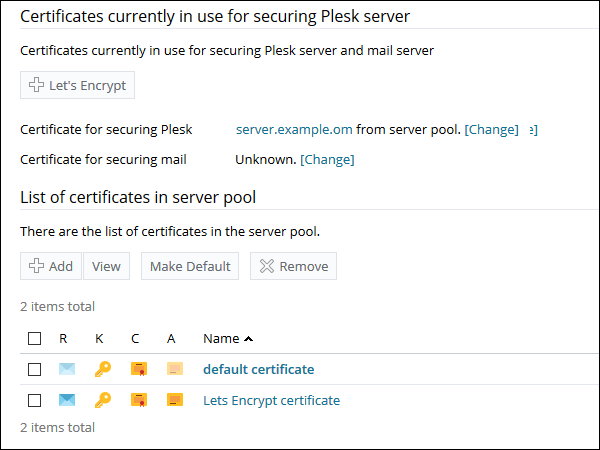
I have installed the new certificate on plesk and it is showing in the list of available certificates.
I have then gone to 'IP addresses', selected the required public IP address and selected the new certificate in the dropdown.
When I go then access the IP address at HTTPS, it still gives me the usual security warning and in the browser info, it's still trying to use the old free certificate.
Has anyone got any ideas as to what could cause this and what deep, dark setting I need to change to get it to realise there's a nice shiny new SSL sitting there!?
Thanks,
Matt
I need to secure the public IP address for the Plesk portal (requested by a client). I have purchased a specialist SSL certificate that can be used to secure IP addresses. The site I have running on the hosting has its own Lets Encrypt certificate on it.
I have installed the new certificate on plesk and it is showing in the list of available certificates.
I have then gone to 'IP addresses', selected the required public IP address and selected the new certificate in the dropdown.
When I go then access the IP address at HTTPS, it still gives me the usual security warning and in the browser info, it's still trying to use the old free certificate.
Has anyone got any ideas as to what could cause this and what deep, dark setting I need to change to get it to realise there's a nice shiny new SSL sitting there!?
Thanks,
Matt