• Debian 11 is approaching its end-of-life (vendor EOL date - August 31, 2026). Plesk Obsidian 18.0.80 will be the last release to support it.
    If you are running Plesk Obsidian on Debian 11, we recommend you upgrade those servers to Debian 12 using our dist-upgrade tool.
  • We plan to deprecate and remove the support for XML RPC protocol versions earlier than 1.6.9.1 in Plesk Obsidian 18.0.82. We strongly recommend that you update all existing integrations using earlier versions of the XML RPC protocol to comply with the version 1.6.9.1 specification.

Question Temporary failure resolving

kalombo

Basic Pleskian
Server operating system version
Ubuntu 22.04
Plesk version and microupdate number
18.10.60
Hi,

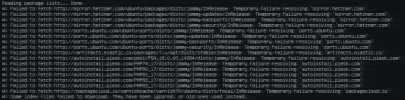
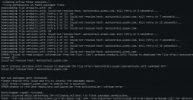
I cant update my server, getting temporary failure resolving. I thought it was because of my firewal rules, disabled it but the issue still not resolved.
Cant access plesk adimin and website. The screen in attachment

 

Attachments

  • 454646.JPG
    454646.JPG
    62.8 KB · Views: 3
You have a DNS resolving on your server. You can try to edit /etc/resolv.conf and add these two to the beginning of the file:
nameserver 8.8.8.8
nameserver 4.4.4.4
 
Thanks a lot for your reply. My ssh not available. For now using kvm console which not very confortable for me, is there a comman which i can use to add them?
 
are these commands right?

sudo sh -c "echo nameserver 8.8.8.8 > /etc/resolv.conf"
sudo sh -c "echo nameserver 4.4.4.4 > /etc/resolv.conf"
 
Back
Top