• The APS Catalog has been deprecated and removed from all Plesk Obsidian versions.
    Applications already installed from the APS Catalog will continue working. However, Plesk will no longer provide support for APS applications.
  • Please be aware: with the Plesk Obsidian 18.0.78 release, the support for the ngx_pagespeed.so module will be deprecated and removed from the sw-nginx package.

Question Temporary failure resolving

kalombo

Basic Pleskian
Server operating system version
Ubuntu 22.04
Plesk version and microupdate number
18.10.60
Hi,

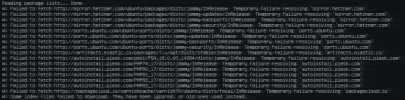
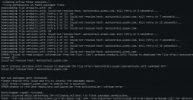
I cant update my server, getting temporary failure resolving. I thought it was because of my firewal rules, disabled it but the issue still not resolved.
Cant access plesk adimin and website. The screen in attachment

 

Attachments

  • 454646.JPG
    454646.JPG
    62.8 KB · Views: 3
You have a DNS resolving on your server. You can try to edit /etc/resolv.conf and add these two to the beginning of the file:
nameserver 8.8.8.8
nameserver 4.4.4.4
 
Thanks a lot for your reply. My ssh not available. For now using kvm console which not very confortable for me, is there a comman which i can use to add them?
 
are these commands right?

sudo sh -c "echo nameserver 8.8.8.8 > /etc/resolv.conf"
sudo sh -c "echo nameserver 4.4.4.4 > /etc/resolv.conf"
 
Back
Top