• Halloween is coming! To celebrate the occasion, we dusted off a couple of old skins, and even created a brand new one (Pixel).
    To get into the festive spirit, install the Skins extension.
  • The new Python extension is now available. It allows customers to deploy and manage WSGI-based Python applications on their websites directly from Plesk.
  • The Plesk Mobile apps for iOS and Android and the Plesk Mobile Center extension have been deprecated, and are no longer available for new installations. In Plesk Obsidian 18.0.84, the Plesk Mobile Center extension will be removed from servers during the upgrade, and the Plesk Mobile apps will lose their server management features.
  • The Social Login extension has been deprecated and will be removed in Plesk Obsidian 18.0.84. After that, it will no longer be possible to log in to Plesk with a Google, Facebook, GitHub account, or with a passkey. Plesk usernames and passwords, as well as logging in with a WebPros Account, are not affected.

Resolved Tons of old backup files [Delete and how?]

LionKing

Regular Pleskian
Server operating system version
Ubuntu Linux
Plesk version and microupdate number
18.048
So in var/lib/psa/dumbs there is a ton of backup files which fills a huge amount of GB and just taking up server disk space.
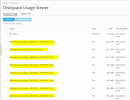
1688679734784.png

More examples here directly in Linux:
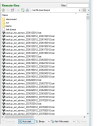
1688679906966.png

Is there a way to delete them in directly Plesk or shold we delete them manually in Linux? (I assume that Plesk is generating this data)

Thanks in advance!
 
Thanks @Peter Debik for your kind reply.

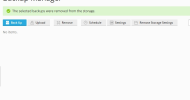
I've tested and deleted the backups made in the "backup manager":
1688821191012.png
However there is still loads of files in the "dumps" directory and sub folders:
1688821318937.png
/var/lib/psa/dumps/.discovered
1688821389972.png

Now sure how they are generated, and how clean this up.
Logically (At least in my mind/way of thinking), these files should be deleted too when you manually delete backups in the "Backup Manager", right?

Or am I completely incorrect in my assumption?

Is there a script available by the way that you can run to clean up server disk space with?

Thanks in advance.
 
The mysql.daily* files are automated daily database dumps that are done for security reasons.
The *preupgrade* files are files created before the database scheme is upgraded. If your system works fine, you can delete those.
Both of these file types occupy very little disk space, and normally you will not need to care about them.

The cryptically named files should also only occupy a tiny bit of disk space. Can you verify that?
 
Back
Top