
 Facebook
 Twitter
abouttogiveup
New Pleskian
The question is too basic.
After installing plesk.exe , tried to log in for the first time with Plesk experience;
And.... it is not accepting my computer's admin password.
I searched lot of things about it and still dont able to log in and it gives error.
I guess i'm mising a little point or i missunderstand the user-password relevance (then what type of user acc-password is using for the setup)
Hope you guys enlighten me soon it's too basic...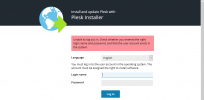
After installing plesk.exe , tried to log in for the first time with Plesk experience;
And.... it is not accepting my computer's admin password.
I searched lot of things about it and still dont able to log in and it gives error.
I guess i'm mising a little point or i missunderstand the user-password relevance (then what type of user acc-password is using for the setup)
Hope you guys enlighten me soon it's too basic...

