Follow along with the video below to see how to install our site as a web app on your home screen.
Note: This feature may not be available in some browsers.
The APS Catalog has been deprecated and removed from all Plesk Obsidian versions. Applications already installed from the APS Catalog will continue working. However, Plesk will no longer provide support for APS applications.
Please be aware: with the Plesk Obsidian 18.0.78 release, the support for the ngx_pagespeed.so module will be deprecated and removed from the sw-nginx package.
I have several aliases pointing to the same App. I have the "Redirect with the HTTP 301 code" option disabled, yet it is still 301 forwarding to the main domain.
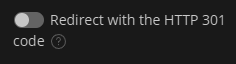
I have deleted and re-crerated the alias but no change.
Does anyone have any idea
Hello, @Movak . What app is deployed under the primary domain name? I am asking because there are domain-specific applications, such as WordPress for example, where the domain name is hard-coded.
It is WordPress, but it worked correctly before I changed the primary domain name. Currently, when I hit the server with one of the alias domains it does the following;
- Redirects due to code in the .htaccess file
- mysteriously redirects with a 301 that is not coded in .htaccess.
The main point is that it used to work, and now it doesn't
Thank you for the update. The redirection most likely occurs on site-level rather than because the Plesk settings. Still, what else you might check is whether there are any additional directives in Subscriptions > Hosting & DNS > Apache & nginx.