
 Facebook
 Twitter
Hello 
I have tried to make an upgrade from 12.0 two 12.5.
However, during the upgrade, install went to a hold.
Now I have a Plesk web interface that does not work more than about 40%.
How can I installed the web interface over?
Or reinstall the Plesk installation?
In the file you can see the log from the I made the upgrade.
My server is a Hetzner EX40 linux whit CentOS 6.7
I have tried to make an upgrade from 12.0 two 12.5.
However, during the upgrade, install went to a hold.
Now I have a Plesk web interface that does not work more than about 40%.
How can I installed the web interface over?
Or reinstall the Plesk installation?
In the file you can see the log from the I made the upgrade.
My server is a Hetzner EX40 linux whit CentOS 6.7
Attachments
-
log.txt27.1 KB · Views: 4
-
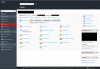 Skærmbillede 2016-02-05 kl. 15.07.29.png360.6 KB · Views: 9
 -
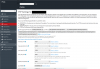 Skærmbillede 2016-02-05 kl. 15.07.51.png467.2 KB · Views: 8
 -
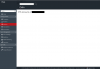 Skærmbillede 2016-02-05 kl. 15.08.12.png162.1 KB · Views: 7
 -
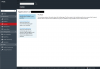 Skærmbillede 2016-02-05 kl. 15.08.43.png254.5 KB · Views: 8
 -
 Skærmbillede 2016-02-05 kl. 15.09.09.png165.8 KB · Views: 7
 -
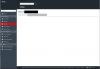 Skærmbillede 2016-02-05 kl. 15.09.20.png176.9 KB · Views: 7


