
 Facebook
 Twitter
Hajime Tanaka
Regular Pleskian
- Server operating system version
- Almalinux 8.5 x86_64
- Plesk version and microupdate number
- 18.0.43.1
Where I can edit that one AlmaLinux for Test Page from?
Because I would like to add index.php and edit the HTML and CSS.
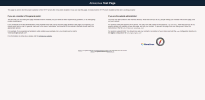
When I tried to change from index.html to index.php and restarted httpd then this site just went and stopped working and couldn't reach it.
Edit a file from
Before:
After:
I've added index.php from /usr/share/httpd/noindex/index.php
Still, nothing works...
Because I would like to add index.php and edit the HTML and CSS.
When I tried to change from index.html to index.php and restarted httpd then this site just went and stopped working and couldn't reach it.
Edit a file from
/etc/httpd/conf.d/welcome.confBefore:
Code:
Alias /.noindex.html /usr/share/httpd/noindex/index.htmlAfter:
Code:
Alias /.noindex.html /usr/share/httpd/noindex/index.phpI've added index.php from /usr/share/httpd/noindex/index.php
Still, nothing works...


