• The APS Catalog has been deprecated and removed from all Plesk Obsidian versions.
    Applications already installed from the APS Catalog will continue working. However, Plesk will no longer provide support for APS applications.
  • Please be aware: with the Plesk Obsidian 18.0.78 release, the support for the ngx_pagespeed.so module will be deprecated and removed from the sw-nginx package.

Resolved where to find my login details for my installation of my wordpress?

Albert de hosson

New Pleskian
Hello Guys and dolls,

where to find my login details for my installation of my wordpress?

i hope you all have a solution for me.

Kind regards,
Albert
 
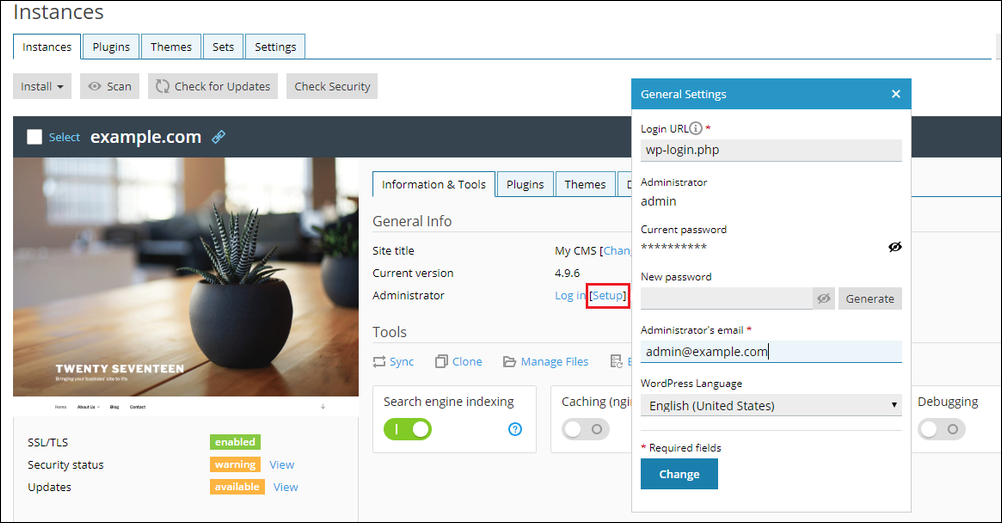
Hi, Albert. Please refer to this article:

Hi there , thank you for your answer.

I have a other version i have Plesk Obsidian Web Admin Edition 18.0.75 #1

maybe you can still help me out

I can not find the right way to login my backoffice of my wordpress shop

I hope to hear soon

Kind regards, Albert
 
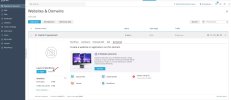
Hi, Albert. The interface is slightly different (the position of the Setup button), but the instructions from the article still apply for Plesk Obsidian. I am attaching a screenshot for better reference.
 

Attachments

  • Screenshot of Websites & Domains - Plesk Obsidian 18.0.77.jpg
    Screenshot of Websites & Domains - Plesk Obsidian 18.0.77.jpg
    190.6 KB · Views: 3
Back
Top