Facebook
 Twitter
Space Monkey
Basic Pleskian
- Server operating system version
- Ubuntu 22
- Plesk version and microupdate number
- 18.0.62
As at Vultr de plesk admin SE is eol I took one big server and transferred all my sites to that server with Plesk Pro. Migrating went easy but now on every site I have little kinks, for the most part I could figure out what the issue was.
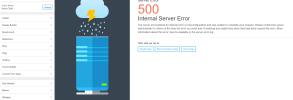
But at one of my sites, in the WordPress customizer the preview doesn't load, I get a 500 error, when I click the home page I will see my site but any customization I do will not be instantly show where it normally should.
I checked the log but can't figure it out. It's allocated more than enough memory.
My other sites don't have this issue but have other weird things going on.
Anything comes to mind?
But at one of my sites, in the WordPress customizer the preview doesn't load, I get a 500 error, when I click the home page I will see my site but any customization I do will not be instantly show where it normally should.
I checked the log but can't figure it out. It's allocated more than enough memory.
My other sites don't have this issue but have other weird things going on.
Anything comes to mind?