• Debian 11 is approaching its end-of-life (vendor EOL date - August 31, 2026). Plesk Obsidian 18.0.80 will be the last release to support it.
    If you are running Plesk Obsidian on Debian 11, we recommend you upgrade those servers to Debian 12 using our dist-upgrade tool.
  • We plan to deprecate and remove the support for XML RPC protocol versions earlier than 1.6.9.1 in Plesk Obsidian 18.0.82. We strongly recommend that you update all existing integrations using earlier versions of the XML RPC protocol to comply with the version 1.6.9.1 specification.

Resolved WP installation Error (WP Toolkit)

myat.m2024

New Pleskian
Server operating system version
AlmaLinux 9.7
Plesk version and microupdate number
: Plesk Obsidian 18.0.75
Dear all,

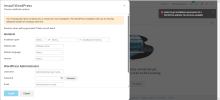
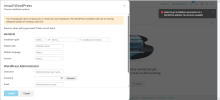
I would like to request to check my WP installation Error. Now. my Plesk Version is 18.0.75 and I installed the WP toolkit.
When I installed the WP site for my website, the error is showing and cannot create WP site.
Please kindly check.

Best Regards,
MM
 

Attachments

  • Screenshot 2026-01-12 164235.png
    Screenshot 2026-01-12 164235.png
    155.5 KB · Views: 10
  • Screenshot 2026-01-12 164235.png
    Screenshot 2026-01-12 164235.png
    155.5 KB · Views: 8
Hi, @myat.m2024 . This usually happens when outbound traffic is blocked, thus, WP Toolkit's requests fail. Please login into your server via SSH, execute the following commands, and provide us with the output:


Code:
nc -zv wordpress.org 443
nc -zv api.wordpress.org 443
 
Thank you for the confirmation. So, it indeed looks like IPv6 outbound traffic is blocked on the server in question. The firewall rules need to be adjusted in order to allow IPv6 outbound traffic. If you are not sure how, please let us know what firewall are you using.
 
Let me know the instruction how to check the firewall service and to allow IPv6 outbound traffic.

BR,
MM
 

Attachments

  • Screenshot 2026-01-12 230029.png
    Screenshot 2026-01-12 230029.png
    13.7 KB · Views: 7
Please try:

Code:
systemctl status firewalld
plesk bin extension --list | grep firewall

Meanwhile, I would also suggest checking with your hosting service provider for a network firewall on their end that could be potentially blocking the requests.
 
Back
Top