• The APS Catalog has been deprecated and removed from all Plesk Obsidian versions.
    Applications already installed from the APS Catalog will continue working. However, Plesk will no longer provide support for APS applications.
  • Please be aware: with the Plesk Obsidian 18.0.78 release, the support for the ngx_pagespeed.so module will be deprecated and removed from the sw-nginx package.

WP Toolkit Site Installation Stuck at 40%

andreib

New Pleskian
Server operating system version
Debian 12.7
Plesk version and microupdate number
Plesk Obsidian 18.0.66 Update #2
Hey everyone, I'm running into some issues with WP Toolkit on Plesk.

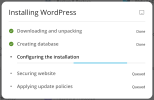
When I try to install a new WP website, the installation process gets stuck at 40%.
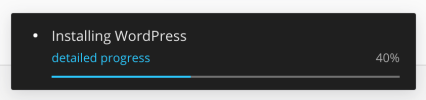
1738664697555.png
1738664710341.png

And the task is stuck in processing:
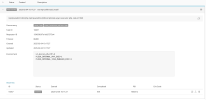
1738664758551.png

I've tried reinstalling WP Toolkit, but that didn't solve the issue.
Otherwise I'm not getting any error. It just gets stuck there.

Could anyone please help?

Thanks!!
 
Hey, thanks a lot!

These are errors from the Plesk panel log:

[2025-02-05 15:18:09.692] 2033337:67a37321a8f01 ERR [panel] Task is not responding: id=1040, pid=1600312, type=ext-wp-toolkit-task_install
[2025-02-05 15:18:09.692] 2033337:67a37321a8f01 ERR [panel] Task is not responding: id=1040, pid=1600312, type=ext-wp-toolkit-task_install, clientRemoteAddr=86.125.215.226, createdDatabaseId=27, createdDatabaseUserId=30, currentStepProgress=-1, currentStepText=, referrer=/smb/web/overview/id/31/type/domain, rollbackIsNewDirectoryCreated=, runTaskUnderLogin=admin

Thank you!
 
Hey, here is the output:
1739268061692.png

root@hosting ~ # grep -r "server reached max_children setting" /var/log/*php*-fpm* | wc -l
5

Thank you!
 
Thank you. That's unlikely to be the issue then. My other two suggestions are to:

1. Try increasing the HTTP timeout for retrieving data from wordpress.org (sec) in WordPress > Settings to something like 120. For the sake of testing only. If that doesn't help, please set it back to the original value.
2. Try the Plesk repair utility by running the following command in case there's any permission issue:

plesk repair fs

If neither works, please consider opening a support ticket for further investigation.
 
Back
Top