Facebook
 Twitter
I installed a new wordpress site comparecleanersonline.com through plesk, all good until I changed the permallinks within wordpress to post name.
Showed server 500 error on web page, therefore ran the plesk reconfigurator repair. Came back with nothing and error still showing.
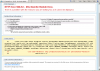
Detail of error:
Module: rewriteModule
Error Code 0x8007000d
Config Error: cannot add duplicate collection entry of type 'rule' with unique key attribute 'name' set to 'wordpress: http://comparecleanersonline.com'
I've attached a screen shot of the error.
Plesk Log shows:
2016-04-26 10:28:08 81.134.150.94 304 GET /wp-content/themes/twentysixteen/js/skip-link-focus-fix.js ver=20160412 HTTP/1.1 241 IIS access
2016-04-26 10:28:13 81.134.150.94 200 GET /wp-admin/options-permalink.php - HTTP/1.1 27.5 K IIS access
2016-04-26 10:28:15 81.134.150.94 500 GET /wp-admin/themes.php - HTTP/1.1 1.61 K IIS access
2016-04-26 10:28:22 81.134.150.94 500 GET /wp-admin/options-general.php - HTTP/1.1 1.61 K IIS access
2016-04-26 10:28:44 81.134.150.94 500 GET /wp-admin/themes.php - HTTP/1.1 1.61 K IIS access
2016-04-26 10:29:06 81.134.150.94 500 GET /wp-admin/edit.php post_type=page HTTP/1.1 1.61 K IIS access
2016-04-26 10:29:09 81.134.150.94 500 GET /wp-admin/tools.php - HTTP/1.1 1.61 K IIS access
2016-04-26 10:29:46 81.134.150.94 500 GET /wp-admin/edit.php - HTTP/1.1 1.61 K IIS access
I do have a shared IP but other sites are working fine.
Please advise as I've run out of ideas!!!
Thanks Paul
Showed server 500 error on web page, therefore ran the plesk reconfigurator repair. Came back with nothing and error still showing.
Detail of error:
Module: rewriteModule
Error Code 0x8007000d
Config Error: cannot add duplicate collection entry of type 'rule' with unique key attribute 'name' set to 'wordpress: http://comparecleanersonline.com'
I've attached a screen shot of the error.
Plesk Log shows:
2016-04-26 10:28:08 81.134.150.94 304 GET /wp-content/themes/twentysixteen/js/skip-link-focus-fix.js ver=20160412 HTTP/1.1 241 IIS access
2016-04-26 10:28:13 81.134.150.94 200 GET /wp-admin/options-permalink.php - HTTP/1.1 27.5 K IIS access
2016-04-26 10:28:15 81.134.150.94 500 GET /wp-admin/themes.php - HTTP/1.1 1.61 K IIS access
2016-04-26 10:28:22 81.134.150.94 500 GET /wp-admin/options-general.php - HTTP/1.1 1.61 K IIS access
2016-04-26 10:28:44 81.134.150.94 500 GET /wp-admin/themes.php - HTTP/1.1 1.61 K IIS access
2016-04-26 10:29:06 81.134.150.94 500 GET /wp-admin/edit.php post_type=page HTTP/1.1 1.61 K IIS access
2016-04-26 10:29:09 81.134.150.94 500 GET /wp-admin/tools.php - HTTP/1.1 1.61 K IIS access
2016-04-26 10:29:46 81.134.150.94 500 GET /wp-admin/edit.php - HTTP/1.1 1.61 K IIS access
I do have a shared IP but other sites are working fine.
Please advise as I've run out of ideas!!!
Thanks Paul