• We value your experience with Plesk during 2025
    Plesk strives to perform even better in 2026. To help us improve further, please answer a few questions about your experience with Plesk Obsidian 2025.
    Please take this short survey:

    https://survey.webpros.com/

Resolved 502 Bad Gateway

Bammer013

New Pleskian
Server operating system version
Ubuntu 20.04
Plesk version and microupdate number
Plesk Obsidian 18.0.56.4
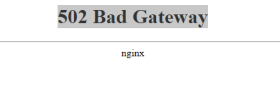
Hello, when I go to my plesk interface I get this error

1700058313936.png
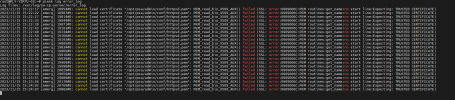
after opening the logs here is the error

1700058284913.png

Do you know how to solve the problem?

Thanks
 
The cause is probably a corrupted /opt/psa/admin/conf/httpsd.pem file. Plesk create automatic backups of that file, so you should be able to restore it from such a backup:

ls -l /opt/psa/admin/conf/httpsd.pem*
should result in something like
-r-------- 1 root root 1922 Jan 27 12:59 /opt/psa/admin/conf/httpsd.pem
-r-------- 1 root root 6525 Jan 27 12:55 /opt/psa/admin/conf/httpsd.pem.sav

Then you can
mv /opt/psa/admin/conf/httpsd.pem /opt/psa/admin/conf/httpsd.pem_not_working
cp -p /opt/psa/admin/conf/httpsd.pem.sav /opt/psa/admin/conf/httpsd.pem

Afterwards, login to Plesk an create a new certificate as described in https://support.plesk.com/hc/en-us/articles/12377713798039 .
 
Back
Top