
 Facebook
 Twitter
D
drewb0y
Guest
I recently upgraded my 8.6 installation to 9.5.4 using the web installer. At first I could not even get to a login, but then I realized that some of the files in the modules directory were not upgraded. After manually copying the new eaccelerator.dll file, I could at least login properly.
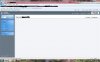
Now the issue I have is that the main home page is blank, and when I click into one of the domains from the list that is blank as well. Of course those are the main 2 pages where I would need to make any changes.
I have thought about just running the installer again and letting it overwrite whatever it needs to, but I am a little afraid of it messing anything else up. Especially as this is a production server with 27 domains on it. One main difference from a fresh install compared to my upgrade, is that the install directory on the upgraded server is Program Files/Swsoft and not Program Files/Plesk.I have done the panel reconfigurator and let it check permissions and everything but no change. Has anyone else seen this?
Examples below.
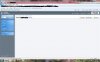
Now the issue I have is that the main home page is blank, and when I click into one of the domains from the list that is blank as well. Of course those are the main 2 pages where I would need to make any changes.
I have thought about just running the installer again and letting it overwrite whatever it needs to, but I am a little afraid of it messing anything else up. Especially as this is a production server with 27 domains on it. One main difference from a fresh install compared to my upgrade, is that the install directory on the upgraded server is Program Files/Swsoft and not Program Files/Plesk.I have done the panel reconfigurator and let it check permissions and everything but no change. Has anyone else seen this?
Examples below.
Attachments
Last edited by a moderator:


