Facebook
 Twitter
llucas
Basic Pleskian
- Server operating system version
- Plesk Obsidian v18.0.59_build1800240216.10 os_Debian 11.0
- Plesk version and microupdate number
- Plesk Obsidian v18.0.59_build1800240216.10 os_Debian 11.0
Hello good mornig for everyone!!!
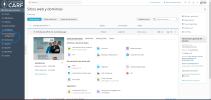
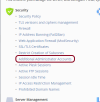
I am somewhat new to the Plesk world, I wanted to ask if anyone can help me. I have an admin user who sees the TOOLS/CONFIGURATION and EXTENSIONS option, so far so good. For security reasons, I have created another user with administrator permissions, but except for an error on my part, it does not show the TOOLS/CONFIGURATION option or extensions for that user.
what am I doing wrong? or how do I have to configure it?
Thanks for your help.
Luis
I am somewhat new to the Plesk world, I wanted to ask if anyone can help me. I have an admin user who sees the TOOLS/CONFIGURATION and EXTENSIONS option, so far so good. For security reasons, I have created another user with administrator permissions, but except for an error on my part, it does not show the TOOLS/CONFIGURATION option or extensions for that user.
what am I doing wrong? or how do I have to configure it?
Thanks for your help.
Luis