• The APS Catalog has been deprecated and removed from all Plesk Obsidian versions.
    Applications already installed from the APS Catalog will continue working. However, Plesk will no longer provide support for APS applications.
  • Please be aware: with the Plesk Obsidian 18.0.78 release, the support for the ngx_pagespeed.so module will be deprecated and removed from the sw-nginx package.

Question Allow DLLs in Web App Firewall

Server operating system version
Windows Server 2022 Standard
Plesk version and microupdate number
Plesk Obsidian Web Host Edition 18.0.58 Update #2
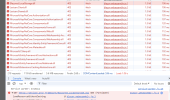
I have deployed a Blazor WASM and all DLLs are getting a 403 as soon as you hit the site. How do I allow them?
 

Attachments

  • 1.png
    1.png
    62.8 KB · Views: 4
From what I can gather CRS rule 920440 blocks a variety of file extensions. Does disabling the rule solve your issue?
Yes, it resolved the active issue at the time. :) I am now fighting other issues related to deploying my blazor WASM project.

Now, my issue is this: "
These requirements were not met:
DenyAnonymousAuthorizationRequirement: Requires an authenticated user."

How do I allow that? It works when I run it locally.
 
Yes, it resolved the active issue at the time. :) I am now fighting other issues related to deploying my blazor WASM project.

Now, my issue is this: "
These requirements were not met:
DenyAnonymousAuthorizationRequirement: Requires an authenticated user."

How do I allow that? It works when I run it locally.
The "DenyAnonymousAuthorizationRequirement: Requires an authenticated user." warning seems specific to blazor.

I found these sites/threads with similar issues. Maybe any of the suggestions there help you to:
 
Back
Top