Facebook
 Twitter
JskeD123
New Pleskian
Hi Guys,
This is my first forum post
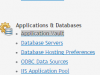
My new plesk 12 windows server was not showing the application vault (even after login as admin user). Hence I have changed the entry enabled = on in the file
C:\Program Files (x86)\Parallels\Plesk\admin\conf\panel \panel.ini as per http://kb.odin.com/112766. Now the application vault is showing well.
My question is, whether this is a new procedure change for Plesk 11/12? I believe, I used to see application vault enabled as default in all my other old servers.
This is my first forum post
My new plesk 12 windows server was not showing the application vault (even after login as admin user). Hence I have changed the entry enabled = on in the file
C:\Program Files (x86)\Parallels\Plesk\admin\conf\panel \panel.ini as per http://kb.odin.com/112766. Now the application vault is showing well.
My question is, whether this is a new procedure change for Plesk 11/12? I believe, I used to see application vault enabled as default in all my other old servers.
Last edited: