• The APS Catalog has been deprecated and removed from all Plesk Obsidian versions.
    Applications already installed from the APS Catalog will continue working. However, Plesk will no longer provide support for APS applications.
  • Please be aware: with the Plesk Obsidian 18.0.78 release, the support for the ngx_pagespeed.so module will be deprecated and removed from the sw-nginx package.

Resolved Attempt to change status of non-configured mail service. [domain_id = 28]

Jürgen_T

Regular Pleskian
Server operating system version
Ubuntu 22.04.4 LTS
Plesk version and microupdate number
Plesk Obsidian v18.0.63_build1800240809.10
Suddenly after upgrade to Plesk Obsidian v18.0.63 I found this error message in the Plesk protocols:

Attempt to change status of non-configured mail service. [domain_id = 28]

How can I solve this?
 
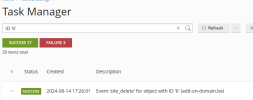
I have read the article but hesitate to use this recipe until I have found out which domain/subdomain is meant by domain_id=28 in my case. What do I have to do to get more information about ID=28 before I delete belonging entries in the plesk-DB?
 
Back
Top