Backup and Restore failed

seqoi

Regular Pleskian
Server operating system version
AlmaLinux 9.5
Plesk version and microupdate number
18.0.65 #2
So I just tried to restore a backup created today. This is the error and what I am being presented with:

Failed to restore site from backup
  • Unable to import database. Error message: mysql: Deprecated program name. It will be removed in a future release, use '/usr/bin/mariadb' instead
  • WARNING: option --ssl-verify-server-cert is disabled, because of an insecure passwordless login.


Here is what it is very concerning (for me):

- I am already running MariaDB 11.4.4.
- Plesk didn't update, no changes have been made
- All of my SSL certificates work as expected
- On the VERY same server, just 7 hours ago (before I went to sleep) I could go through the backup and restore process itself without any error on the very same domain/subscription. This just started happening after I tried to run Restore to test the WP Toolkit. So kinda like out of the blue.

The worst of all is that that Restore button in the Plesk doesn't work anymore. As if it does nothing after that. I go and pick that archive, click Restore again to see what will happen and it really does nothing. Clicking Restore present me with the usual little pop up saying that all files after that date will be removed, I click at the red button "Restore" and it closes and nothing happens.

Terrible experience.

 
Update: I went to select another backup for restoration, created a few days ago and this time error is different:

Failed to restore site from backup
  • Error: Error establishing a database connection.
Restarted a server, like desperate action.. the same result. a very inconsistent experience. Yesterday it worked, today not.
 
And of course, my website is ruined after the unsuccessful restoration. Luckily it was a playground experiment. I am not going to use this WP Toolkit Backup and restore anymore until this is fixed.
 

Attachments

  • 2024-12-21 08_47_02-WordPress › Error.jpg
    2024-12-21 08_47_02-WordPress › Error.jpg
    10 KB · Views: 4
Went thru the WordPress repair only to end up in a loop asking me to redo it again.

So the point of the story and my experience with WP Toolkit is this. WP Toolkit - avoid backing up and restoring unless you want to screw yourself. Rely on manual-custom processes as usual. The only thing WP Toolkit is good at is reporting updates on plugins and disabling WP cron - in my experience.

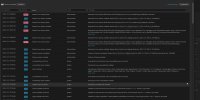
A screenshot of my log is attached. As you can see what seemingly worked perfectly yesterday, just 7 hours later doesn't work while no updates to the OS or to the Plesk have been made.
 

Attachments

  • 2024-12-21 08_53_42-WordPress › Database Repair.jpg
    2024-12-21 08_53_42-WordPress › Database Repair.jpg
    45.6 KB · Views: 12
  • log.jpg
    log.jpg
    177.3 KB · Views: 13
Not much Plesk support here? Probably doesn't result in profit $$$ which Plesk/WebPros is fond of.

Anyways, is this resolved? I am experiencing this issue as well in a customer's Plesk server and in his back-up program (also under WebhPros). MariaDB 11.4 and getting: WARNING: option --ssl-verify-server-cert is disabled, because of an insecure passwordless login.

And no, we do not have skip-name-resolve enabled.
 
Updated: added output check:

logs# mysql -uadmin -p$(cat /etc/psa/.psa.shadow) -e "SHOW VARIABLES LIKE 'skip_name_resolve';"
mysql: Deprecated program name. It will be removed in a future release, use '/usr/bin/mariadb' instead
+-------------------+-------+
| Variable_name | Value |
+-------------------+-------+
| skip_name_resolve | OFF |
+-------------------+-------+

//sorry was to late for edit...
 
What does "skip_name_resolve" have to do with the issue described by @seqoi? Why is your @HHawk case "this issue as well" when you post a totally different description that is in no way linked to the initial post? I suggest you post your issue with a detailed description in your own thread, because as it is described here, noone will have a chance to understand or even solve it.

Regarding the initial post from 2024: There must have been some update overnight on that system. It is impossible to assist through the forum, because description/symptoms don't yield what the normal behavior of the backup/restore tool is. Most likely the user is talking about the WP Toolkit backup/restore, but not even that was made clear in the post. So probably noone responded, because the issue itself was not described in a way that it let other forum users understand what's going on.
 
Hi Peter Debik,

Well I searched on terms like "MariaDB 11.4", "WARNING: option --ssl-verify-server-cert is disabled, because of an insecure passwordless login." and making/restoring backups in terms of the database and I found that KB article with stated to disable "skip_name_resolve", can't find it, so it might be my fault. So I am very sorry that you got completely stressed out. Didn't know you had a bad mood. Haha. ;-)

Anyways, I resolved it by simply adding "--ssl --ssl-verify-server-cert" to the backup solution for the database. Thank you once again for you valued input like always. ;-)
 
Back
Top