Facebook
 Twitter
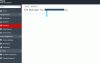
I have an issue with the File manager in plesk 12.5 and a specific subscription. File manager doesnt open, it just shows an almost blank page. Screenshot attached.
- The subscription has 500 domains configured. Could it be an issue with the amount of directories?
- File manager works fine on all other subscriptions
- it was working without a problem on Plesk 11.5. We have migrated the account to a 12.5 server, issue appeared after the migration on the new server
I've checked the Plesk logs, but i cant see anything. Does anyone has an idea?
Michael
- The subscription has 500 domains configured. Could it be an issue with the amount of directories?
- File manager works fine on all other subscriptions
- it was working without a problem on Plesk 11.5. We have migrated the account to a 12.5 server, issue appeared after the migration on the new server
I've checked the Plesk logs, but i cant see anything. Does anyone has an idea?
Michael