• The APS Catalog has been deprecated and removed from all Plesk Obsidian versions.
    Applications already installed from the APS Catalog will continue working. However, Plesk will no longer provide support for APS applications.
  • Please be aware: with the Plesk Obsidian 18.0.78 release, the support for the ngx_pagespeed.so module will be deprecated and removed from the sw-nginx package.

Cannot install Wordpress

Sarah_Gramenz

New Pleskian
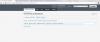
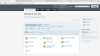
I do not have the option to Install Wordpress on my Parallels Plesk Web Presence Builder. I want to use the toolkit but it isn't available. I have Plesk 12. I am including screen shots. I want my site to be in wordpress so I can use my plugins. Plesk_Presence_Builder.png Plesk_Wordpress_Area.png
 
Hi Sarah,

Thanks for your post.

Parallels Web Presence Builder is a CMS of its own and it's not integrated with WordPress. You probably wanted to tell us that you cannot launch WordPress within Plesk? If that's the case you will find the WordPress installation option in the "Applications" section. Since the applications tab is missing on your screenshots I assume that you or your hoster had to enable applications for your hosting subscription first.

Best regards,
Dave
 
Back
Top