• The APS Catalog has been deprecated and removed from all Plesk Obsidian versions.
    Applications already installed from the APS Catalog will continue working. However, Plesk will no longer provide support for APS applications.
  • Please be aware: with the Plesk Obsidian 18.0.78 release, the support for the ngx_pagespeed.so module will be deprecated and removed from the sw-nginx package.

Resolved Can't connect Thunderbird Plesk

Hm... The interface to manage DNS does not look like Plesk.
If it is a different panel to manage DNS records, I recommend asking the hosting provider about the proper steps to solve the issue.


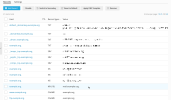
Here is a screenshot from Plesk / DNS:
1732784714881.png
 
Ok, When I add the domain to the server, it shows as deactivated, and when I try to edit the record, it then shows me the following. When I click on the the option that shows me (10), and select MX, I am not sure what I should enter for the domain.

AYamshanov My Plesk Record looks like this:​


Attachments

  • 2024-11-28 10_29_00-Zone Records Template - Plesk Obsidian 18.0.64 — Firefox Nightly.png
    2024-11-28 10_29_00-Zone Records Template - Plesk Obsidian 18.0.64 — Firefox Nightly.png
    6.1 KB · Views: 5
I have checked the test results one more time; it seems now you have the correct MX record (not "NullMX"). DNS servers usually cache records, which means some time may be required to update their cached data. Anyway, you can try to send a test email and see what happens (if it is not delivered, it makes sense to wait a few hours and repeat the test).
 
Back
Top
