• We value your experience with Plesk during 2026
    Please help us understand which Plesk features made your work easier this year, what is still missing and how AI should help you in Plesk ?
    Take this short 5-minutes survey. Your answers go straight into the Plesk roadmap for 2027.

Can't connect to server after fresh install

P

PlymWS

Guest
I've just installed SuSE 11.1 on a server machine and then installed the typical Plesk setup via the autoinstaller. I can not connect to the server now even though it is on my local network and I can see the router DCHP has assigned an IP address to the machine.

I can sucessfully ping the machine from another on the network but I can not access the control panel through https://{IP ADDRESS}:8443, nor can I SSH to the box. I have also tried using the WAN IP address.

I have done nothing other than the installs of SuSE and Plesk so have I missed something ? It would appear that the server is not accepting incoming connections at all.
 
OK, I figured this out; The static IP for the comuter was not set up correctly. However I have now found that installing Plesk 9.2 has broken Yast2 on my machine.
 
How Did you config the static IP correctly? i.e., where did you change it (Virtual machine configuration or Parallels preferences?) and what did you change it to?


I'm having trouble seeing my parallels XP installation from my macOS....
 
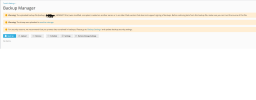
upload back up error same version of plesk.png

As you can see plesk same version from backup to restore has issues. How do i debug and trouble shoot?

Amazon
Product version: Plesk Obsidian 18.0.58.2 OS version: AlmaLinux 9.4 x86_64 Build date: 2024/01/23 15:00

current host
Product version: Plesk Obsidian 18.0.58.2
OS version: AlmaLinux 8.10 x86_64
Build date: 2024/01/23 15:00
 
Back
Top