Follow along with the video below to see how to install our site as a web app on your home screen.
Note: This feature may not be available in some browsers.
The APS Catalog has been deprecated and removed from all Plesk Obsidian versions. Applications already installed from the APS Catalog will continue working. However, Plesk will no longer provide support for APS applications.
Please be aware: with the Plesk Obsidian 18.0.78 release, the support for the ngx_pagespeed.so module will be deprecated and removed from the sw-nginx package.
Cite: <
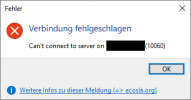
The error 10060 is returned by the MySQL client when a connection could not be established with the service on the system you are connecting to. This is commonly caused by a firewall block or network issue preventing the connection.24.12.2020
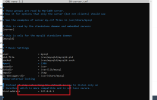
Thank you for the update, Jan. I am not quite sure I was able to understand, sorry. Are you saying that the bind-address value in /etc/mysql/my.cnf is set to 127.0.0.1 after enabling "Allow local MariaDB/MySQL server to accept external connections"? If yes, have you tried restating the database service, please? If not, please provide a further clarification on the matter. You may submit a report here.
<I am not quite sure I was able to understand, sorry. Are you saying that the bind-address value in /etc/mysql/my.cnf is set to 127.0.0.1 after enabling "Allow local MariaDB/MySQL server to accept external connections"?>
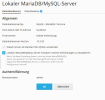
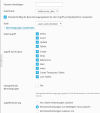
Thank you for your feedback. Yes, seems so. And so, the command "telnet MY_IP_ADDRESS 3306" does no work, not TCP packet answser from telnet. (While in the GUI is "Accept remote connections" configured, see screenshots on my other answers here)