• The APS Catalog has been deprecated and removed from all Plesk Obsidian versions.
    Applications already installed from the APS Catalog will continue working. However, Plesk will no longer provide support for APS applications.
  • Please be aware: with the Plesk Obsidian 18.0.78 release, the support for the ngx_pagespeed.so module will be deprecated and removed from the sw-nginx package.

Question Can't setup Plesk on Amazon Lightsail

rizqifeb

New Pleskian
Server operating system version
Ubuntu
Plesk version and microupdate number
Plesk Hosting Stack on Ubuntu
I just install Plesk on my Lightsail instance. When i will setup Plesk via One Time Login (I get it from run sudo plesk login | grep -v internal:8 command in SSH), the page always redirect me to Plesk page login (https://cool-easley.ip-address.plesk.page/login_up.php). What should i do?
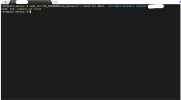
 
Try following command via SSH:
Code:
set PSA_PASSWORD=new_password && plesk bin admin --set-admin-password -passwd "<your_new_password>"
Replace <your_new_password> with a password of your choice. Afterward try to login with user name admin and the password you've just set.
 
Last edited:
Run plesk bin settings --set disable_check_session_ip=true to allow for address changes during a single login session. And try login again afterwards.
 
Saved me was trying to set up Plesk/on Ubuntu on AWS lightsail and was going in a loop as OP described

Following commands solved my issue (Don´t think the 1. was neassary)
1. (sudo) set PSA_PASSWORD=new_password && plesk bin admin --set-admin-password -passwd "<your_new_password>"

2. (sudo) plesk bin settings --set disable_check_session_ip=true
 
Back
Top