Facebook
 Twitter
Hello
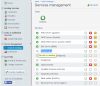
I run a server with Plesk 11.0.9 and want to add Tomcat support. I installed the "Tomcat Java Servlets support", but can't start the service in the "Services management" tool. It does not show any button. How do I do the next step to run tomcat in plesk?
Thank you for your help
Jonas
I run a server with Plesk 11.0.9 and want to add Tomcat support. I installed the "Tomcat Java Servlets support", but can't start the service in the "Services management" tool. It does not show any button. How do I do the next step to run tomcat in plesk?
Thank you for your help
Jonas