• Debian 11 has reached its end-of-life (vendor EOL date - August 31, 2026). Plesk Obsidian 18.0.81 is the last release to support it.
    If you are running Plesk Obsidian on Debian 11, we recommend you upgrade those servers to Debian 12 using our dist-upgrade tool.
  • We plan to deprecate and remove the support for XML RPC protocol versions earlier than 1.6.9.1 in Plesk Obsidian 18.0.82. We strongly recommend that you update all existing integrations using earlier versions of the XML RPC protocol to comply with the version 1.6.9.1 specification.

Certificate installation

Status
Not open for further replies.

ErwanG

Regular Pleskian
Hello,

I've have a problem with a server : we have create as usual certificate with Tools > SSL certificates.
When we want to put certificate with the domain, we don"t have the "Secure your sites" menu in the "websites and domaines" sub category.

Why ? How can i activate the certificate with the domain ?

Erwan
 
Make sure that you have enabled corresponding permissions in subscription.
 
Igor,

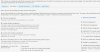
Customize / Hosting settings management (...SSL support...) is enabled (checked)...

Is there another permission ?
 

Attachments

  • ecran.jpg
    ecran.jpg
    131.9 KB · Views: 7
Do you have dedicated IP address assigned to this subscription?
 
Thanks a lot. The IP was not dedicated.
I don't know how i can install certificate the first time but it's now ok.
Thank you.
 
Status
Not open for further replies.
Back
Top