Facebook
 Twitter
mahmut ozdemir
Basic Pleskian
- Server operating system version
- Almalinux 8.9
- Plesk version and microupdate number
- 18.0.69
Hello
After moving my sites to Cloudflare, we made some security adjustments, but after these adjustments, wp-toolkit screenshots are now disabled. We are receiving Error 1005. If you tell us which country or IP address this site is taking images from, we can add Cloudflare allow.
Thansk.
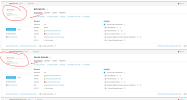
After moving my sites to Cloudflare, we made some security adjustments, but after these adjustments, wp-toolkit screenshots are now disabled. We are receiving Error 1005. If you tell us which country or IP address this site is taking images from, we can add Cloudflare allow.
Thansk.