Facebook
 Twitter
A
AProus
Guest
Hi all,
I have a domain hosted under Plesk 8.6 (Windows). My hosting provider gave me full administrator access to the control panel.
Now I need to have a subdomain like blog.diaframmando.it pointing to my blog hosted by google.
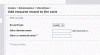
I tried by myself setting everything, but I couldn't be able to set the CNAME record as described by google (http://www.google.com/support/blogger/bin/answer.py?hl=it&answer=55373) as Plesk doesn't allow me to set blog.diaframmando.it as the domain name and ghs.google.com as the canonical name: it gives me an error "Error: Such A DNS record already exists". (screen-shot attached)
I contacted my service provider, but they seem to be unable to solve my problem.
Anyone can help me?
Many thanks,
Alfonso
I have a domain hosted under Plesk 8.6 (Windows). My hosting provider gave me full administrator access to the control panel.
Now I need to have a subdomain like blog.diaframmando.it pointing to my blog hosted by google.
I tried by myself setting everything, but I couldn't be able to set the CNAME record as described by google (http://www.google.com/support/blogger/bin/answer.py?hl=it&answer=55373) as Plesk doesn't allow me to set blog.diaframmando.it as the domain name and ghs.google.com as the canonical name: it gives me an error "Error: Such A DNS record already exists". (screen-shot attached)
I contacted my service provider, but they seem to be unable to solve my problem.
Anyone can help me?
Many thanks,
Alfonso