• The APS Catalog has been deprecated and removed from all Plesk Obsidian versions.
    Applications already installed from the APS Catalog will continue working. However, Plesk will no longer provide support for APS applications.
  • Please be aware: with the Plesk Obsidian 18.0.78 release, the support for the ngx_pagespeed.so module will be deprecated and removed from the sw-nginx package.

Connect with a domain name

As I try to remove IP address 172.26.3.52, getting this: Error: IP address 172.26.3.52 cannot be removed because it is used by one or more domains for their mail service IP address. Cannot remove the IP address 172.26.3.52 because it is the primary IP address of a network interface.
 
As I can see from your other posts, you have hard time dealing with dynamic IPs, I suggest you start over and create a static IP address on lightsail and point your domain to it, that's it. and don't forget the DNS propagation takes time with namecheap so don't push this up.

You can check this tool to help you what is pointing to what.
 
As I can see from your other posts, you have hard time dealing with dynamic IPs, I suggest you start over and create a static IP address on lightsail and point your domain to it, that's it. and don't forget the DNS propagation takes time with namecheap so don't push this up.

You can check this tool to help you what is pointing to what.
Thanks for the reply. I believe I am using static IP on Lightsail instance.

3.109.31.170 seems static IP https://www.canva.com/design/DAE09O...nshare&utm_medium=link&utm_source=sharebutton

 
You want to change the primary address because you restored Plesk from old snapshot. correct?

9UwNznlO2j.png

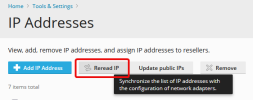
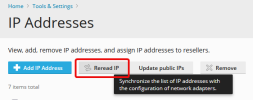
Your current private IP is with Lightsail is 172.26.4.107 should appear after clicking reread button.
 
You want to change the primary address because you restored Plesk from old snapshot. correct?

View attachment 20022

Your current private IP is with Lightsail is 172.26.4.107 should appear after clicking reread button.
Actually, there was another Lightsail instance with Plesk Ubuntu. That instance had a snapshot. Migrated that snapshot to a new Lightsail instance, which is now where I am currently working.
 
Go to your domain page > click on Web Hosting Access in Hosting and Settings tab
Change the IP from the dropdown to 3.109.31.170 and click save
Delete the old IP from the list
 
Back
Top