• The new Python extension is now available. It allows customers to deploy and manage WSGI-based Python applications on their websites directly from Plesk.
  • The Plesk Mobile apps for iOS and Android and the Plesk Mobile Center extension have been deprecated, and are no longer available for new installations. In Plesk Obsidian 18.0.84, the Plesk Mobile Center extension will be removed from servers during the upgrade, and the Plesk Mobile apps will lose their server management features.
  • The Social Login extension has been deprecated and will be removed in Plesk Obsidian 18.0.84. After that, it will no longer be possible to log in to Plesk with a Google, Facebook, GitHub account, or with a passkey. Plesk usernames and passwords, as well as logging in with a WebPros Account, are not affected.

Couldn't Login to Admin Panel

B

BranoK

Guest
https://localhost:8443 could't login in my admin panel?

I got Plesk 10.3.1 and Windows 2008 x64.
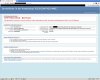
Look at the screenshot! Please help me!!
 

Attachments

  • pleskerror.jpg
    pleskerror.jpg
    205.4 KB · Views: 9
Hello,

Maybe the reason is that your browser can't resolve domain ***.server4you.de
Try to add this host into Windows\system32\drivers\etc\hosts file or to set up correct DNS resolving.
 
Back
Top