• The APS Catalog has been deprecated and removed from all Plesk Obsidian versions.
    Applications already installed from the APS Catalog will continue working. However, Plesk will no longer provide support for APS applications.
  • Please be aware: with the Plesk Obsidian 18.0.78 release, the support for the ngx_pagespeed.so module will be deprecated and removed from the sw-nginx package.

Issue DB query failed: SQLSTATE[HY000] [2002] Connection refused

installax

New Pleskian
Hi i've a big problem.
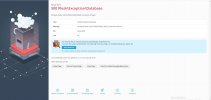
I can't use my plesk installation beacause this error:
plesk.jpg
also this:
avvio mariadb.jpg
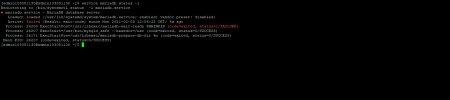
and this:
status mariadb.jpg
I've this problem after i execute a prestashop plugin for database cleaning
 
Do you have enough free disk space? Often the MariaDB service will not start due to lack of free space.
Examining the MariaDB log file can also understand the cause of the problem.
 
I decided to completely remove plesk and install everything as new.
I have CentOs 7.9.2009 and Plesk Obsidian 18.0.33.0.
Could you give me a guide for a clean uninstall?
 
I decided to completely remove plesk and install everything as new.
I have CentOs 7.9.2009 and Plesk Obsidian 18.0.33.0.
Could you give me a guide for a clean uninstall?
Reinstall OS with formatting disk drive.
 
I am working via ssh because i use a dedicated server. Is there no way to uninstall without formatting the whole system?
 
 
Check that you have this:

# whereis plesk
plesk: /usr/sbin/plesk /usr/share/man/man1/plesk.1.gz

# ll /usr/sbin/plesk
-rwxr-xr-x. 1 root root 6483120 Jan 4 18:24 /usr/sbin/plesk

# rpm -qf /usr/sbin/plesk
plesk-completion-18.0-2.centos.7+p18.0.33.0+t210104.1822.x86_64

Also you can try to install Plesk with this method: Installing Plesk for Linux Using Installer Console
 
Back
Top