Facebook
 Twitter
hungrychicken123
New Pleskian
Hi so I am having issues with DNS not getting propagated. So I have this site hairandcombs.com hosted on a VPS alongside other domains which have a similar issue. The domain is from Godaddy the following have been added:
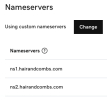
- Nameserver Change on Godaddy
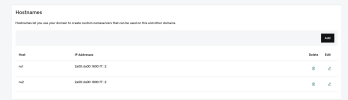
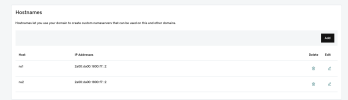
- The DNS records on Plesk
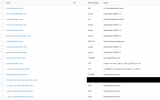
When checking on a DNS checker site it only propagates in Germany I also have another site fresh domain on which I only changed the Nameservers to point it to the Plesk one but that didn't even propagate as well the url for that is tesingthis.store. The IPs are configured on the server and Plesk these domains have been given enough time to propagate as well.
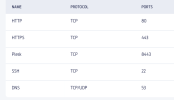
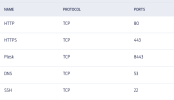
The following ports are open as well:
Don't know what else to try the hosting provider can't get to the bottom of it plz help!
- Nameserver Change on Godaddy
- The DNS records on Plesk
When checking on a DNS checker site it only propagates in Germany I also have another site fresh domain on which I only changed the Nameservers to point it to the Plesk one but that didn't even propagate as well the url for that is tesingthis.store. The IPs are configured on the server and Plesk these domains have been given enough time to propagate as well.
The following ports are open as well:
Don't know what else to try the hosting provider can't get to the bottom of it plz help!