• Halloween is coming! To celebrate the occasion, we dusted off a couple of old skins, and even created a brand new one (Pixel).
    To get into the festive spirit, install the Skins extension.
  • The new Python extension is now available. It allows customers to deploy and manage WSGI-based Python applications on their websites directly from Plesk.
  • The Plesk Mobile apps for iOS and Android and the Plesk Mobile Center extension have been deprecated, and are no longer available for new installations. In Plesk Obsidian 18.0.84, the Plesk Mobile Center extension will be removed from servers during the upgrade, and the Plesk Mobile apps will lose their server management features.
  • The Social Login extension has been deprecated and will be removed in Plesk Obsidian 18.0.84. After that, it will no longer be possible to log in to Plesk with a Google, Facebook, GitHub account, or with a passkey. Plesk usernames and passwords, as well as logging in with a WebPros Account, are not affected.

DomainKeys

B

bisc0tti

Guest
Hi,

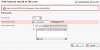
I am trying to setup DomainKeys in DNS but Plesk seems to be error'ing on the underscore in the name for the record. Has anyone ran into this? Is there a fix? I'm running 8.6.0.4 and using the Plesk Bind DNS.

Please see attached photo of error.

Thanks in advance,

Scott
 

Attachments

  • gfly_dk.jpg
    gfly_dk.jpg
    32.9 KB · Views: 53
I'm under the impression that domainkeys are now built-in, no?
 
builtin? I don't think it is. We are using SmarterMail and am trying to create the domainkey there, then trying to add a TXT record containing the key in Plesk DNS.

Scott
 
Ok, figured it out I think. DomainKeys wasn't enabled in Plesk. If you go to the domain listing page so it lists all the domains on the server, check the top left checkbox that enables the selecting of all the domains in the list, and click the group operations link. Scroll down to the last option under preferences and choose to enable "Use DomainKeys spam protection system to sign outgoing e-mail messages". There may be a better way to do it, but thats what worked for me.

Plesk will generate a default domainkey in the dns for you in the "default._domainkey".<domainname> format. Go into SmarterMail and generate a key with the default._domainkey selector name and replace this key over the Plesk DNS record so that SmarterMail and Plesk DNS matches up with the same key and key name.

Kind of confusing but it works, and my client is now reporting that Yahoo is not blocking mail anymore. I'm using the latest version of both Plesk and SmarterMail which I believe isn't a supported configuration because none of the SmarterMail email accounts seem to show up in the Plesk control panel under the respective domains.

Scott
 
Back
Top