Facebook
 Twitter
Plesk patches are updated automatically every night. Last night we had a problem with resolving and the following error was logged:
===
Execution failed.
Command: autoinstaller
Arguments: Array
(
[0] => --select-product-id
[1] => plesk
[2] => --select-release-current
[3] => --upgrade-installed-components
[4] => --include-components-from-class
[5] => aspect=panel
)
Details: Downloading file products.inf3: 0%
Downloading file versions.inf3: 0%
ERROR: Failed to read product information from the file : Can't process products.inf3: Failed to download the file https://autoinstall.plesk.com/products.inf3:
The requested URL returned error: 404
Can't process versions.inf3: Failed to download the file https://autoinstall.plesk.com/versions.inf3:
The requested URL returned error: 404
Not all packages were installed.
Please resolve this issue and try to install the packages again.
===
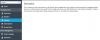
So I manually tried to apply all patches and plesk report it's all OK. All domains are running properly, but when I login to plesk webinterface I don't see any domains listed. Under subscriptions all domains are listed, but under domains, the overview is empty, see attached screenshot.
It looks/feels/seems like some kind of corruption in the database. What can I do to repair or check this issue? I know the cli has a repair-utilitiy, can I run the ./repair -all or ./repair -db safely or are there other options I can try to fix this issue?