• Halloween is coming! To celebrate the occasion, we dusted off a couple of old skins, and even created a brand new one (Pixel).
    To get into the festive spirit, install the Skins extension.
  • The new Python extension is now available. It allows customers to deploy and manage WSGI-based Python applications on their websites directly from Plesk.
  • The Plesk Mobile apps for iOS and Android and the Plesk Mobile Center extension have been deprecated, and are no longer available for new installations. In Plesk Obsidian 18.0.84, the Plesk Mobile Center extension will be removed from servers during the upgrade, and the Plesk Mobile apps will lose their server management features.
  • The Social Login extension has been deprecated and will be removed in Plesk Obsidian 18.0.84. After that, it will no longer be possible to log in to Plesk with a Google, Facebook, GitHub account, or with a passkey. Plesk usernames and passwords, as well as logging in with a WebPros Account, are not affected.

Resolved Enabling TLS 1.2 and 1.3 - Not working

octet

Basic Pleskian
Hi guys,

Trying to remove the support for TLS 1.0 and 1.1 and enable only 1.2 and 1.3.

So far I did the following:

Code:
[root@ufo cache]# plesk bin server_pref -u -ssl-protocols 'TLSv1.2 TLSv1.3'
SUCCESS: Server preferences are successfully updated
[root@ufo cache]# /usr/local/psa/bin/server_pref -u -ssl-ciphers 'ECDHE-RSA-AES256-GCM-SHA512:DHE-RSA-AES256-GCM-SHA512:ECDHE-RSA-AES256-GCM-SHA384:DHE-RSA-AES256-GCM-SHA384:ECDHE-RSA-AES256-SHA384'
SUCCESS: Server preferences are successfully updated
[root@ufo cache]# service httpd restart
Redirecting to /bin/systemctl restart httpd.service
[root@ufo cache]# service nginx restart
Restarting nginx (via systemctl):                          [  OK  ]

Checking on the domain level:

Code:
[root@ufo cache]# nmap --script ssl-enum-ciphers -p 443 www.domain.com | grep -E "TLSv|SSLv"
|   SSLv3: No supported ciphers found
|   TLSv1.0:
|   TLSv1.1:
|   TLSv1.2:

Server level seems fine:

Code:
[root@ufo cache]# /usr/local/psa/bin/server_pref -s | grep ssl-*
ssl-protocols:    TLSv1.2 TLSv1.3
ssl-ciphers:    ECDHE-RSA-AES256-GCM-SHA512:DHE-RSA-AES256-GCM-SHA512:ECDHE-RSA-AES256-GCM-SHA384:DHE-RSA-AES256-GCM-SHA384:ECDHE-RSA-AES256-SHA384
ssl-cipher-server-order:    true
[root@ufo cache]#

SSL It configuration is set on Modern:
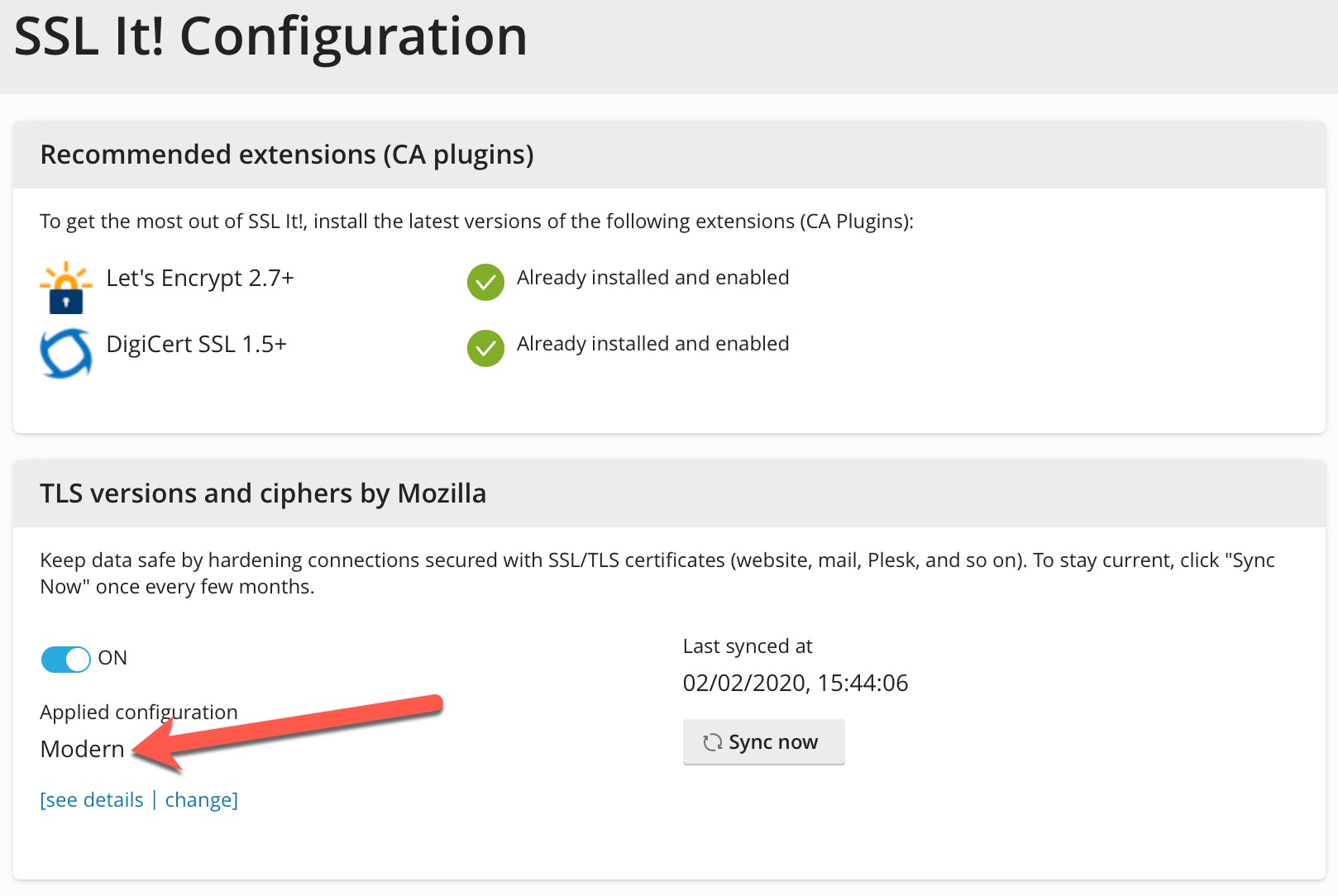
2020-02-02_16-04-50.jpeg


What am I doing wrong?
 
which OS du you have and whats the output of /etc/nginx/conf.d/ssl.conf
 
Centos

Code:
[root@ufo cache]# cat /etc/nginx/conf.d/ssl.conf
ssl_ciphers EECDH+AESGCM+AES128:EECDH+AESGCM+AES256:EECDH+CHACHA20:EDH+AESGCM+AES128:EDH+AESGCM+AES256:EDH+CHACHA20:EECDH+SHA256+AES128:EECDH+SHA384+AES256:EDH+SHA256+AES128:EDH+SHA256+AES256:EECDH+SHA1+AES128:EECDH+SHA1+AES256:EDH+SHA1+AES128:EDH+SHA1+AES256:EECDH+HIGH:EDH+HIGH:AESGCM+AES128:AESGCM+AES256:CHACHA20:SHA256+AES128:SHA256+AES256:SHA1+AES128:SHA1+AES256:HIGH:!aNULL:!eNULL:!EXPORT:!DES:!RC4:!MD5:!PSK:!KRB5:!aECDH:!EDH+3DES;
ssl_protocols TLSv1 TLSv1.1 TLSv1.2;
ssl_prefer_server_ciphers on;
 
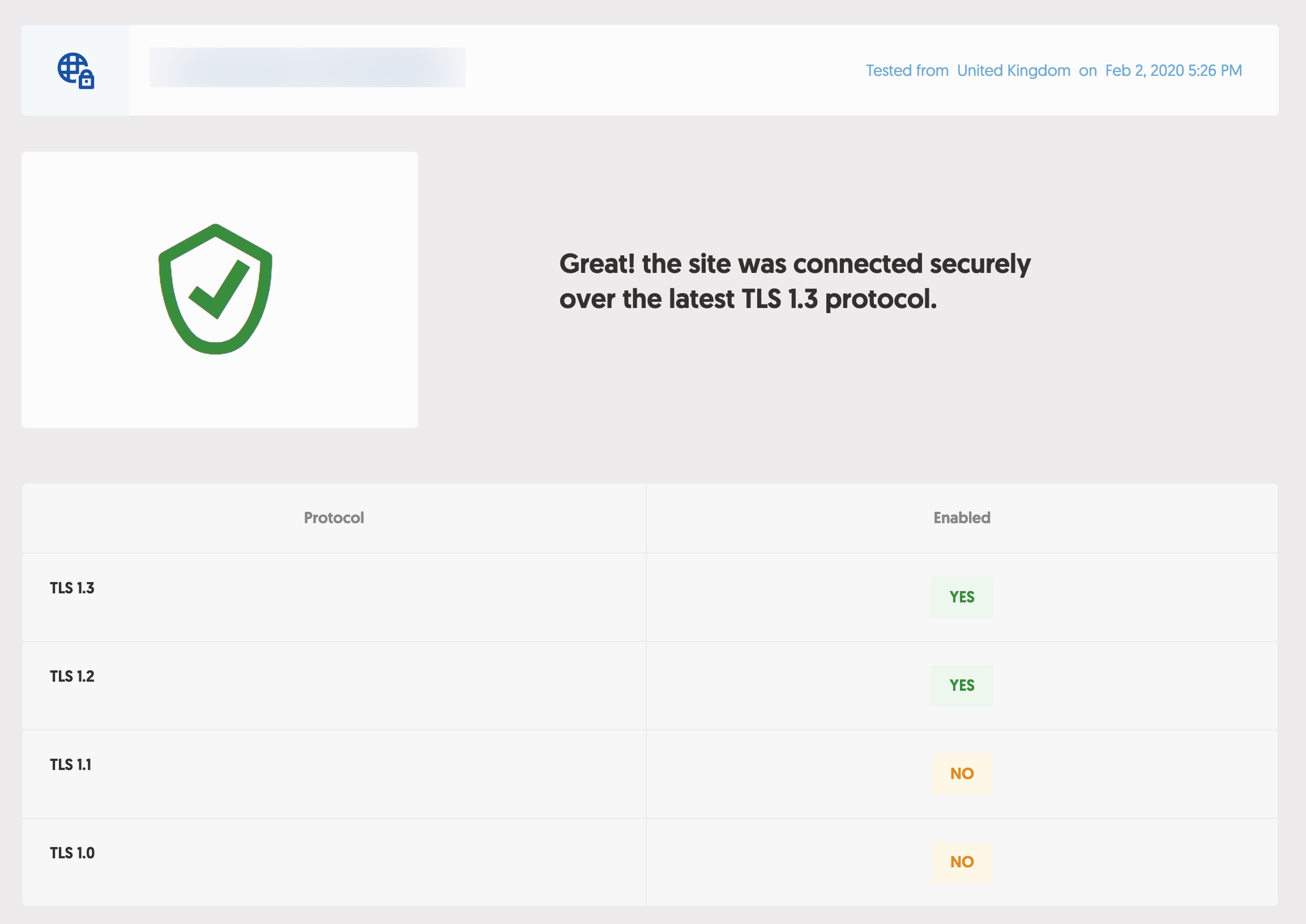
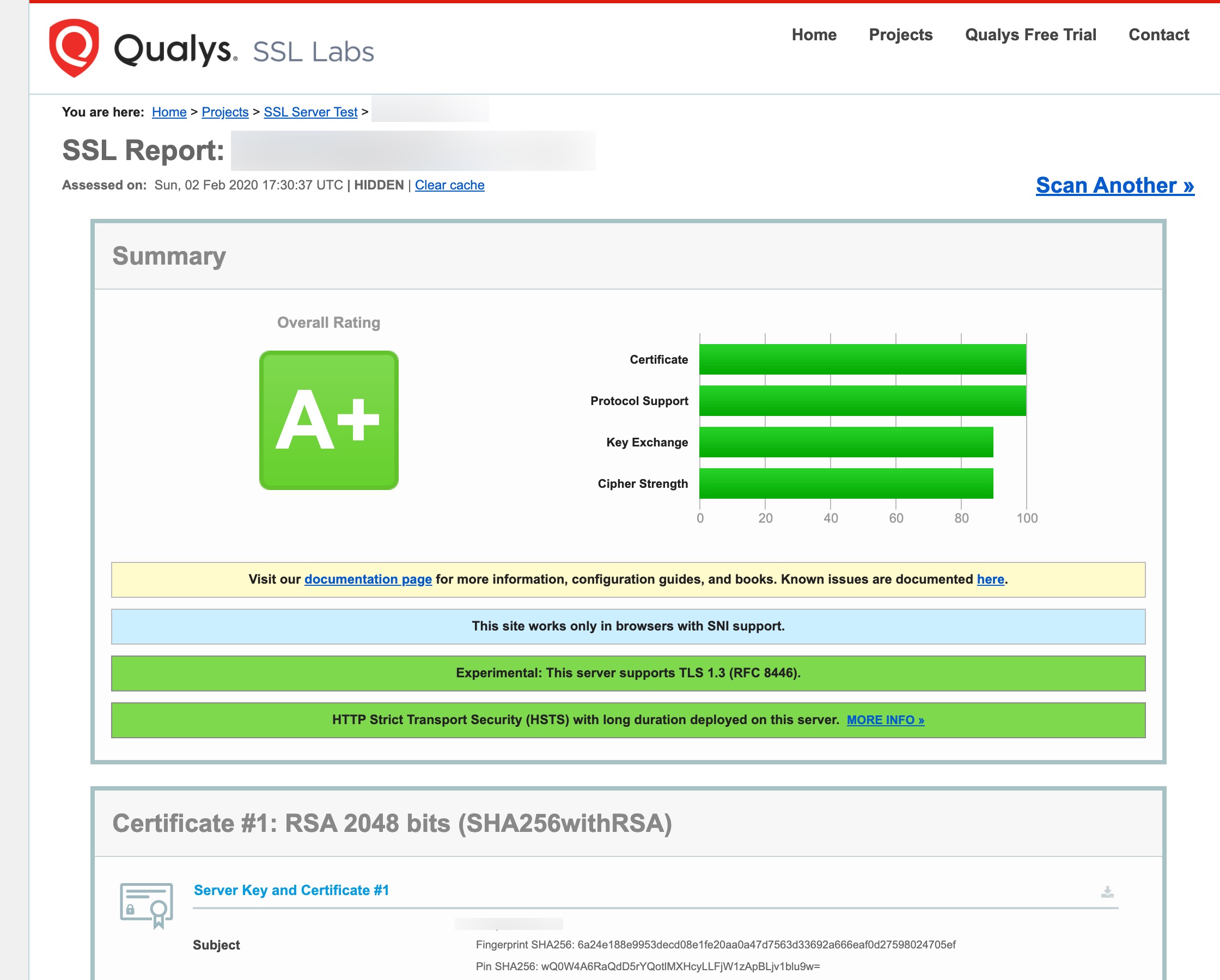
Thanks for the tip, I've modified the ssl.conf and restarted nginx, now I get:

2020-02-02_17-26-48.jpeg


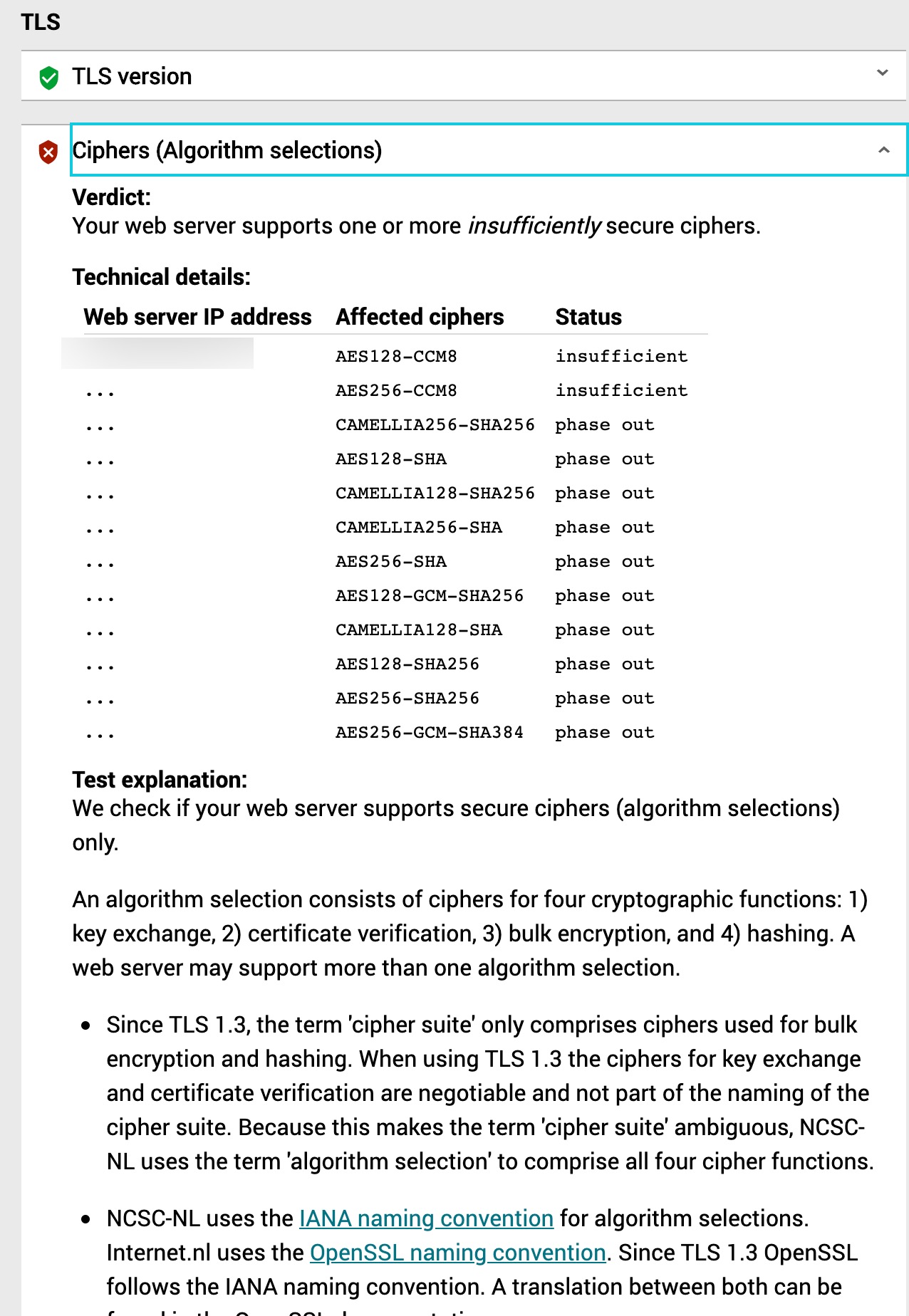
internet.nl says:

2020-02-02_17-29-05.jpeg


Should I remove some of the Ciphers?
 
an example looks like:
Code:
ssl_ciphers TLS-CHACHA20-POLY1305-SHA256:TLS-AES-256-GCM-SHA384:TLS-AES-128-GCM-SHA256:ECDHE-ECDSA-AES256-GCM-SHA384:ECDHE-RSA-AES256-GCM-SHA384:ECDHE-ECDSA-CHACHA20-POLY1305:ECDHE-RSA-CHACHA20-POL
Y1305:ECDHE-ECDSA-AES128-GCM-SHA256:ECDHE-RSA-AES128-GCM-SHA256:ECDHE-ECDSA-AES256-SHA384:ECDHE-RSA-AES256-SHA384:ECDHE-ECDSA-AES128-SHA256:ECDHE-RSA-AES128-SHA256;
ssl_prefer_server_ciphers on;
ssl_protocols TLSv1.2 TLSv1.3;
ssl_session_cache shared:SSL:50m;
ssl_session_timeout 1d;
ssl_session_tickets off;
ssl_ecdh_curve X25519:P-521:P-384:P-256;
 
an example looks like:
Code:
ssl_ciphers TLS-CHACHA20-POLY1305-SHA256:TLS-AES-256-GCM-SHA384:TLS-AES-128-GCM-SHA256:ECDHE-ECDSA-AES256-GCM-SHA384:ECDHE-RSA-AES256-GCM-SHA384:ECDHE-ECDSA-CHACHA20-POLY1305:ECDHE-RSA-CHACHA20-POL
Y1305:ECDHE-ECDSA-AES128-GCM-SHA256:ECDHE-RSA-AES128-GCM-SHA256:ECDHE-ECDSA-AES256-SHA384:ECDHE-RSA-AES256-SHA384:ECDHE-ECDSA-AES128-SHA256:ECDHE-RSA-AES128-SHA256;
ssl_prefer_server_ciphers on;
ssl_protocols TLSv1.2 TLSv1.3;
ssl_session_cache shared:SSL:50m;
ssl_session_timeout 1d;
ssl_session_tickets off;
ssl_ecdh_curve X25519:P-521:P-384:P-256;

You might wanna tell me (I'm on Debian btw) this not the default configuration is. Seems for me much better then the default one.
I personally prefer ECDSA over RSA but thats also possible with your config.
Would vote for your config to be default!
 
Yes, in fact this is not the standard configuration, rather a general configuration for normal web sites/servers. Well, the settings for TLS are very individual and are designed to suit the needs of the user to get the best possible result. In my opinion, the way Plesk currently does it, based on Mozilla, is basically good for the majority of Plesk users. Since there are always new features, you can alternatively use the Mozilla Generator.
 
How are you enabling TLS 1.3 in Centos 7 which uses openSSL 1.0.2 or are you using Centos 8? Does Obsidian change server config to permit TLS 1.3 when using Centos 7?
 
Back
Top