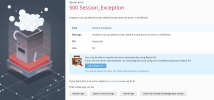
The locale which had been previously chosen as a default was unregistered from the Plesk database during a Plesk upgrade.
Try to fix it with the following steps:
Set the locale en-US as default:
Code:
# plesk bin server_pref --set-default -locale en-US
# plesk bin admin -u -locale en-US
Reinstall Plesk updates:
Code:
# plesk installer update --repatch
Log in to Plesk and set a required locale at Tools & Settings > Languages.

 Facebook
 Twitter