• Debian 11 has reached its end-of-life (vendor EOL date - August 31, 2026). Plesk Obsidian 18.0.81 is the last release to support it.
    If you are running Plesk Obsidian on Debian 11, we recommend you upgrade those servers to Debian 12 using our dist-upgrade tool.
  • We plan to deprecate and remove the support for XML RPC protocol versions earlier than 1.6.9.1 in Plesk Obsidian 18.0.82. We strongly recommend that you update all existing integrations using earlier versions of the XML RPC protocol to comply with the version 1.6.9.1 specification.

Issue Error: Access denied [Let's Encrypt]

mdde

Regular Pleskian
Hi,
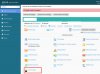
a customer today got the Message "Error: Access denied" but others and me included can access the Lets Encrypt Area.
Does anyone has an idea what this Problem caused?
I cant find anything in the Logs. :-/

Screenshot attached.
 

Attachments

  • Bildschirmfoto 2016-08-20 um 13.39.27.jpg
    Bildschirmfoto 2016-08-20 um 13.39.27.jpg
    389.8 KB · Views: 7
Hi daanse,

pls. make sure, that the depending service plan allows the "Hosting settings management" permission ( tab: permissions at "Home > Service Plans > Hosting Plans > YOUR-CHOOSEN-SERVICEPLAN-FOR-THE-SPECIFIC-DOMAIN" ) and be sure, that the subscription is synched with the depending service plan. If you use "Plan addons", make sure, that the Plan addon permissions doesn't deny "Hosting settings management".

Consider as well to check, that the additional application is "up-to-date" at "Home > Extensions Management > Extensions Catalog".

If You still experience issues, consider to change the associated service plan for the specific domain and change it backwards again afterwards.
 
Last edited by a moderator:
Hi,

thank you, but it didn't helped.
I checked the Permissions and Updates, it's all okay, many Customers using it already but somehow this doesn't work.
Changed plan to some other and back again. Nothing.
My Test Customer, here i can access the Lets Encrypt Module..
 
Back
Top