Follow along with the video below to see how to install our site as a web app on your home screen.
Note: This feature may not be available in some browsers.
The APS Catalog has been deprecated and removed from all Plesk Obsidian versions. Applications already installed from the APS Catalog will continue working. However, Plesk will no longer provide support for APS applications.
Please be aware: with the Plesk Obsidian 18.0.78 release, the support for the ngx_pagespeed.so module will be deprecated and removed from the sw-nginx package.
Hello,
how can I teach the Nginx web server under Plesk Onyx to exclude the IP adress for example 1.2.3.1-1.2.3.255?
Where do I have to enter the IPs to be blocked?
Thanks for help
Paul
Yes, thats what I want. To block adresses from China Bots or US Bots for example.
I had a lot of them blocked with htaccess, but now I need to use Nginx and want to do the same
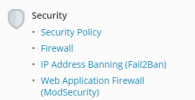
Instead of using Nginx you are probably better off using the Plesk Firewall. You can find the Plesk Firewall under Tools & Settings > Security.
Also do you have fail2ban running on your server? Fail2ban automatically bans IP address that try to brute force attack your server. A really useful tool! More info on: Protection Against Brute Force Attacks (Fail2Ban)