• Halloween is coming! To celebrate the occasion, we dusted off a couple of old skins, and even created a brand new one (Pixel).
    To get into the festive spirit, install the Skins extension.
  • The new Python extension is now available. It allows customers to deploy and manage WSGI-based Python applications on their websites directly from Plesk.
  • The Plesk Mobile apps for iOS and Android and the Plesk Mobile Center extension have been deprecated, and are no longer available for new installations. In Plesk Obsidian 18.0.84, the Plesk Mobile Center extension will be removed from servers during the upgrade, and the Plesk Mobile apps will lose their server management features.
  • The Social Login extension has been deprecated and will be removed in Plesk Obsidian 18.0.84. After that, it will no longer be possible to log in to Plesk with a Google, Facebook, GitHub account, or with a passkey. Plesk usernames and passwords, as well as logging in with a WebPros Account, are not affected.

Question Fail2Ban lock real users (repeated)

markusoswald

New Pleskian
Hi there,

i have one question.
I have a user who is always banned by Fail2Ban from Plesk. I have to unlock the IP manually everytime. Can someone tell me how this could happend?

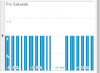
Attached a screenshot from my Analytics. This is the user who is locked permanently.

His IP is changing every 24hours, so i´m looking for a solution...

Best regards!
 

Attachments

  • fail2ban.png
    fail2ban.png
    5.5 KB · Views: 9
Hi markusoswald,

pls. have a look at your screenshot by yourself and pls. describe, what sort of investigations could be done with the help of this screenshot? :confused:

Investigations are not done with screenshots. Investigations should be done with the help of configuration files and log - file - entries. We really can't guess, why a user get's banned by Fail2Ban on your server, nor do we know, what sort of fail2ban-jails/filters you use.
To investigate issues with Fail2Ban you should at least post the corresponding apache/nginx - log - entries of your domain/subdomain ( or the corresponding log - file - entries from the log, which is defined in the corresponding Fail2Ban - jail ) and the corresponding fail2ban - log - entries.

Pls. REDUCE the complete log - files to issues related to the banned IP, so that people willing to help you don't have to do the whole investigation work all by themselves and you just upload possible huge log - files. ;)
 
In the Fail2Ban extension see what jail has blocked the user.

If it is one of the mail jails: The user is using wrong login credentials on at least one device, e.g. his phone, his PC, a second computer ...
This is the by far most frequent reason for real-user lockouts.
Solution: Check all devices for wrong access credentials in mail client software.

If it is the wordpress jail: The user is frequently using the same functions while updating his Wordpress website.
Solution: There is none, unfortunately. You can try to raise the number of failures that trigger a jail to lock-out a user, but this also lowers security against real DoS and brute force attacks.
 
Back
Top