Facebook
 Twitter
Joe Wehrens
New Pleskian
Hi guys,
I have some issues trying to upgrade from version 12.5 to 17 on a Windows 2012 R2 server.
1. I can only connect to port 8447 when using localhost, when I use my own domain name I get time outs
I have disabled my firewall, did all the config checks etc.
2. when connecting https://localhost:8447 I try to upgrade to version 17. I get
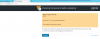
Plesk pre-upgrade checking...
ERROR:
Description = Er is een uitzondering opgetreden.
FATAL_ERROR: Unable to get IP address.
of course I do not continue, as this a production server.
Any ideas ??
Regards, Joe
I have some issues trying to upgrade from version 12.5 to 17 on a Windows 2012 R2 server.
1. I can only connect to port 8447 when using localhost, when I use my own domain name I get time outs
I have disabled my firewall, did all the config checks etc.
2. when connecting https://localhost:8447 I try to upgrade to version 17. I get
Plesk pre-upgrade checking...
ERROR:
Description = Er is een uitzondering opgetreden.
FATAL_ERROR: Unable to get IP address.
of course I do not continue, as this a production server.
Any ideas ??
Regards, Joe