• The APS Catalog has been deprecated and removed from all Plesk Obsidian versions.
    Applications already installed from the APS Catalog will continue working. However, Plesk will no longer provide support for APS applications.
  • Please be aware: with the Plesk Obsidian 18.0.78 release, the support for the ngx_pagespeed.so module will be deprecated and removed from the sw-nginx package.

Favicon

Hello,
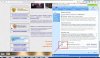
I am not able to reproduce this issue, icon loads properly (screenshot is in attachment).
Try to clear browser cache and check after that.
capture.PNG
 
You need to clear your browsing data and restart your browser https://support.google.com/chrome/answer/2392709?hl=en&visit_id=1-636177275723209505-1525482151&rd=1. You should try this on other browsers.

You also have to check for HTML in the head section.

If you are using a .ico file, then you need to use below.

HTML:
<link rel="shortcut icon" href="favicon.ico" type="image/x-icon" />

When you are using PNG/GIF favicon, then use different as below.

HTML:
<link rel="icon" type="image/gif" href="favicon.gif" />
<link rel="icon" type="image/png" href="favicon.png" />

For more reasons, you can refer - http://stackoverflow.com/questions/16375592/favicon-not-showing-up-in-google-chrome
 
Back
Top