• Debian 11 is approaching its end-of-life (vendor EOL date - August 31, 2026). Plesk Obsidian 18.0.80 will be the last release to support it.
    If you are running Plesk Obsidian on Debian 11, we recommend you upgrade those servers to Debian 12 using our dist-upgrade tool.
  • We plan to deprecate and remove the support for XML RPC protocol versions earlier than 1.6.9.1 in Plesk Obsidian 18.0.82. We strongly recommend that you update all existing integrations using earlier versions of the XML RPC protocol to comply with the version 1.6.9.1 specification.

Issue FTP broken?

Scared Donut

New Pleskian
Server operating system version
AlmaLinux 8.9
Plesk version and microupdate number
Plesk Obsidian 18.0.59.2
Hi all,

I am having some weird issues with FTP. Every 2k -4k files the FTP stops working and I get the following error in Filezilla:

Error: Connection closed by server
Error: File transfer failed
Status: Connecting to ***:21...
Error: File transfer aborted by user

The only way for me to fix this issue is to run service xinetd restart in console.

There are a couple of errors in /var/log/secure

Apr 7 23:37:30 ns514231 proftpd[48892]: pam_env(proftpd:setcred): Unable to open config file: /etc/security/pam_env.conf: No such file or directory
Apr 7 23:37:30 ns514231 proftpd[48892]: pam_systemd(proftpd:session): Failed to connect to system bus: No such file or directory

The file /etc/security/pam_env.conf does exist so I am not sure while its unable to open it. owner is root:root and the file attribute is 644

I made no changes (plesk updates by itself so not sure if there was a recent update). Restarting the machine did not work.

I'd appreciate any help that I can get. Thanks!
 
I do have the same issue here, did u upgrade from centos to almalinux also or do you also have it on fresh installs?
 
I'm going to bump this thread and add that this has started to happen with large file uploads but exact date when it started isn't clear. It's present on AlmaLinux 8/9 and CentOS 7.
 
Did not fix it for me neither.
All what i have tested:
- Checking selinux but thats in permissive
- Its only for sftp connections, the none secure works fine but we are forcing sftp only.
- We are running Imunify360, disabling does not do anything.

Going to test it on other servers. So far its only on Almalinux after upgrade from Centos.
 
So it's not a port issue as we've disabled iptables and border firewall traffic restrictions. Hopefully this thread gets the attention of a Plesk staff member!
 
We were able to track this down and as much as we wanted it to be a Plesk or CentOS/AlmaLinux problem, it turns out that it was a security endpoint policy with an HTTPS stream inspection that would cause this behavior. Adding an exception fixed it for FTPS transfers!
 
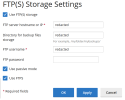
So I have remote backup set up to backup from one Plesk server to another Plesk server use FTPS.

1785074041964.png

Every time the scheduled backup takes place I get these same messages in the error logs on that other Plesk server. CentOS 7.9 TuxCare, Plesk Obsidian 18.0.79.

Code:
pam_env(proftpd:setcred): Unable to open config file: /etc/security/pam_env.conf: No such file or directory
pam_systemd(proftpd:session): Failed to connect to system bus: No such file or directory

These errors also happen when I go in the UI to look at the list of backups in the subscription, or dig deeper. Again in the logs of the server where the backups are sent to and stored via FTPS.

Of @Kaspar 's support search links, this one seemed like it could be the only relevant one in my case, but it did not prevent the error messages (I've since undone that change) https://support.plesk.com/hc/en-us/...zilla-Response-filename-txt-Permission-denied

I found success with this:

Proftpd error Unable to open config file: /etc/security/pam_env.conf which references this proftpd Unable to open config file: /etc/security/pam_env.conf » Red Branch

Specifically, commenting this line in /etc/pam.d/proftpd

Code:
# session include system-auth

Followed by a systemctl restart xinetd

Now, aside from preventing any more of those error messages, I'm unsure what that line does. However, right now my FTP is firewalled with an allowlist of one, so I'm not too concerned about security implications of doing that. Nevertheless, I would be interested to hear if that line is significant :)
 
Oh, I meant to add, SSH is set to Forbidden on all invovled subscriptions, including the subscription where the FTP account is. Not that I believe it's relevant, since the UI suggests the remote backup only uses FTP plain or FTP over TLS. But the articles seem to relate the fixes to FTP over SSH (shrug-emote).
 
Back
Top