Facebook
 Twitter
gustavopreis
New Pleskian
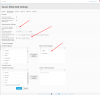
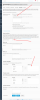
I have a Plesk server on Windows and I have set in [Tools & Settings> Mail> Spam Filter] the antispam settings. I set the sensitivity value from 7 to 6, the tag included in the subject of "*** SPAM ***" to "*** SPAM_SCORE ***" and also selected the English and Portuguese languages in the Trusted languages section.
All of these settings were made at the server level using a Plesk administrator account, but they did not propagate to email accounts for domains hosted on the Plesk server.
What do I need to do to have server-level antispam settings set on all email accounts in all hosted domains?
All of these settings were made at the server level using a Plesk administrator account, but they did not propagate to email accounts for domains hosted on the Plesk server.
What do I need to do to have server-level antispam settings set on all email accounts in all hosted domains?