Facebook
 Twitter
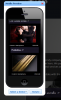
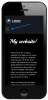
I'm logged onto Web Presence Builder (on my desktop computer) and I'm building a website. How do I preview the mobile optimised version? Can I make layout changes specific to the mobile version? For example, on the mobile version the drop down menus take up 3 screens of scrolling before you get to the content of the page.
I can't see anywhere inside Web Presence Builder to view the mobile version. Is there a button somewhere?
I can't see anywhere inside Web Presence Builder to view the mobile version. Is there a button somewhere?