
 Facebook
 Twitter
hi
i contacted vultr to open port25 for me to used email
they made it but asked me to reset instance not server
"
Thank you for the information provided!
We have removed the default SMTP block on your account. Please re-start your instances via [redacted], for the change to take effect (re-starting the server itself _will_not_ work). Please ensure that you have changed your instance's default hostname (from vultr.guest), as well as setting valid reverse DNS entries."
i searched and never found option to reset instance
can this be done from plesk? and how?
thanks
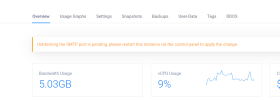
i contacted vultr to open port25 for me to used email
they made it but asked me to reset instance not server
"
Thank you for the information provided!
We have removed the default SMTP block on your account. Please re-start your instances via [redacted], for the change to take effect (re-starting the server itself _will_not_ work). Please ensure that you have changed your instance's default hostname (from vultr.guest), as well as setting valid reverse DNS entries."
i searched and never found option to reset instance
can this be done from plesk? and how?
thanks
Last edited by a moderator:


