
 Facebook
 Twitter
- Server operating system version
- Alma Linux 9
- Plesk version and microupdate number
- 18.0.74
We have a server host on hostname.org
We log in to Plesk on hostname.org:8443
We have a Host set up with a domain account for the hostname domain.
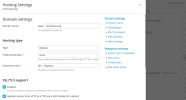
The host set up is this:
The file manager set up is this:
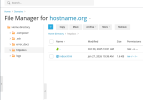
This above file index.html has been customised and changed.
But the output of public hostname.org remains this :
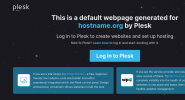
Which has nothing to do with the above settings.
We've looked around the net and looked around the Tools & Settings and can't see how to change the Hostname's domain name details. Please tell me how we can do this?
We log in to Plesk on hostname.org:8443
We have a Host set up with a domain account for the hostname domain.
The host set up is this:
The file manager set up is this:
This above file index.html has been customised and changed.
But the output of public hostname.org remains this :
Which has nothing to do with the above settings.
We've looked around the net and looked around the Tools & Settings and can't see how to change the Hostname's domain name details. Please tell me how we can do this?

