• Debian 11 is approaching its end-of-life (vendor EOL date - August 31, 2026). Plesk Obsidian 18.0.80 will be the last release to support it.
    If you are running Plesk Obsidian on Debian 11, we recommend you upgrade those servers to Debian 12 using our dist-upgrade tool.
  • We plan to deprecate and remove the support for XML RPC protocol versions earlier than 1.6.9.1 in Plesk Obsidian 18.0.82. We strongly recommend that you update all existing integrations using earlier versions of the XML RPC protocol to comply with the version 1.6.9.1 specification.

Question How to get past "welcome to plesk" prompt over index.html

walker4321

New Pleskian
Hello I'm trying to view the html content. I'm on a MacOS 14.5 (23F79). If you can provide a step by step guide, I'd greatly appreciate it.
 

Attachments

  • Screenshot 2024-07-16 at 9.03.16 PM.png
    Screenshot 2024-07-16 at 9.03.16 PM.png
    115.9 KB · Views: 8
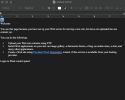
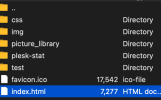
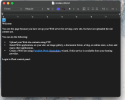
I'm trying to see the html file (highlighted) but when I click too view the file it shows the prompt "

Welcome


You see this page because you have set up your Web server for serving a new site, but have not uploaded the site content yet.


You can do the following:


  • Upload your Web site contents using FTP.
  • Install Web applications on your site: an image gallery, a discussion forum, a blog, an online store, a chat, and many other applications.
  • Create a Web site using Parallels Plesk Sitebuilder wizard, if this service is available from your hosting provider.


Login to Plesk control panel:"

I would like to see the Hmtl as I'm trying to move it to wordpress. Hopefully that helps. What would be my next steps so I can copy/edit the html file?

To even view the html file, I need to setup a server?

Thank you fro your help!
 

Attachments

  • Screenshot 2024-07-18 at 11.40.51 PM.png
    Screenshot 2024-07-18 at 11.40.51 PM.png
    40.4 KB · Views: 2
  • Screenshot 2024-07-18 at 11.40.59 PM.png
    Screenshot 2024-07-18 at 11.40.59 PM.png
    292.5 KB · Views: 2
Back
Top